Audio and video
Audacity online: edit your audio files with nothing to install
The best-known free audio editor, to cut, clean up and convert your recordings.
Included from the Personal plan
Audio editing, made simple
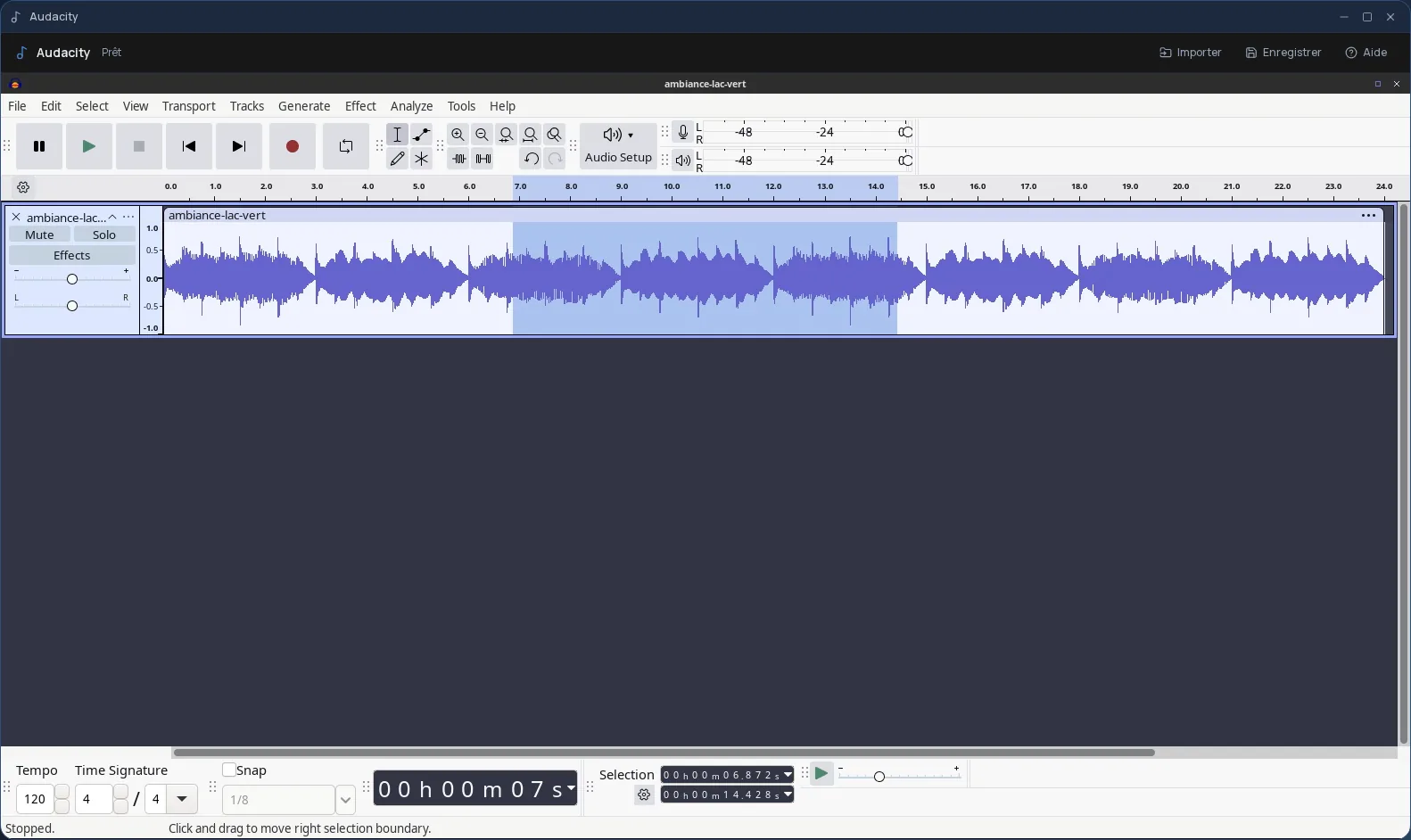
Audacity is the leading free audio editing software. You open a file, see its waveform, and work on it: cut a passage, move another, add a fade, adjust the volume.
Its effects cover the everyday needs of a podcast, an interview or a voice-over: normalization, background noise reduction, compression, equalization, tempo or pitch changes. It also converts files from one format to another, for example from WAV to FLAC or OGG.
The real Audacity, in a desktop window
In Cloud OS, the software itself runs in a window of your online desktop. Nothing to install on your computer, no updates to keep up with, and the same Audacity on every computer you sign in from.
Your recordings stay in your own space
You pick your audio files in the Files app, and they open straight in Audacity. Once the result is exported to the app's “Stockage” folder, one click sends it back to Files.
- Several files imported one after another, without closing the import window.
- Every file sent back arrives as a new file: the original recording is never overwritten.
- Your files are hosted in Québec.
Good to know
In Cloud OS, Audacity is for editing existing audio files: recording from your computer's microphone is not available there. Record on your device first, then upload the file to Files.
An Audacity session is temporary: export your work to the “Stockage” folder and send it back to Files before closing the window. Audacity is used from a computer; it is not offered on phones.
Frequently asked questions
- Do I need to install Audacity to use it in Cloud OS?
- No. Audacity runs in a window of your online desktop, from the browser. There is nothing to install or update on your computer.
- Can I record my voice directly in Audacity?
- Not in Cloud OS: your computer's microphone is not connected to the software. Record on your device, upload the file to Files, then open it in Audacity to edit and clean it up.
- Audacity or Ardour: which should I choose?
- Audacity, to edit a file: cut, clean up, convert. Ardour, to produce a multitrack piece and mix it. Both are included in Cloud OS.
- Is Audacity included in the subscription?
- Yes, from the Personal plan, like the other desktop software. There is no fee per app: each launch counts as one task in your plan's allowance.