
Best secure cloud: choosing a sovereign workspace
Published on · Updated on

The best secure cloud for a professional workspace is the one that combines verifiable data residency, proportionate security controls and clear contractual accountability. Before comparing providers, categorize your data, require encryption and multi-factor authentication, check the backup and recovery terms, then validate the clauses on ownership and jurisdiction. Cloud OS meets these criteria for Québec small businesses, as you will see further on, with the evidence to back it up.
In brief:
- The physical location of servers does not guarantee data sovereignty, which also depends on legal control and subcontractors.
- Require minimum security controls: encryption, multi-factor authentication and backups verified through actual restores.
- Test the restore of real projects before signing anything, to validate how fast and reliable the backups are.
- Check that the contractual jurisdiction is clear, that infrastructure ownership is documented and that subcontractors are listed.
- Under the shared responsibility model, confidentiality remains the business’s responsibility, even when the provider manages the platform.
Table of contents
- Minimum operational checklist for a secure cloud workspace
- Sovereignty and jurisdiction: questions to ask and proof to request
- Operational constraints for small businesses and startups: connectivity, costs and practical tests
- Concrete criteria for choosing and negotiating: decision checklist and clauses to require
- Why Cloud OS is a good fit for small businesses looking for a secure, sovereign cloud workspace
- Customization options and flexible security policies
- Assessing security certifications and regulatory compliance
- An overview of advanced security architectures
- How intrusion detection and prevention mechanisms work
- Reviewing customer feedback and case studies to assess real-world reliability
- Should you go fully sovereign in the cloud or keep a hybrid model?
- How to try Cloud OS and where to find pricing and security information
- Sources
- Frequently asked questions
Minimum operational checklist for a secure cloud workspace
Before comparing offers, classify your data and activities according to their sensitivity. The Canadian Centre for Cyber Security recommends starting with this categorization before choosing a cloud service, which keeps you from over-protecting low-value assets or under-protecting sensitive data such as NI 43-101 reports or drilling data extracted from GESTIM.
With that foundation in place, require a precise list of controls from every candidate provider.
- Multi-factor authentication recommended on every account, especially administrative accounts.
- Access management based on the principle of least privilege, with periodic permission reviews.
- Encryption of data in transit and at rest, with an option for customer-managed keys.
- Automatic backups with versioning, a defined retention period and real restore tests.
- Access logging and monitoring, with documented response times in case of an incident.
- Automated management of patches and security updates.
- Written contract clauses on data ownership and subcontractor access.
Canadian guidance for small businesses confirms this approach: assessing data centre location, the provider’s security measures, encryption, least-privilege access and two-factor authentication for cloud accounts remains the baseline before any commitment.
Pro tip: always ask for a full restore demonstration of a real project before signing, not just confirmation that backups exist.
Sovereignty and jurisdiction: questions to ask and proof to request
A data centre located in Québec does not, on its own, guarantee the sovereignty of your data. In its white paper on digital sovereignty, the Government of Canada stresses that physical location must be distinguished from legal sovereignty: server ownership, the applicable contractual jurisdiction and the list of subcontractors matter just as much.
Systematically request the following documents before shortlisting a provider.
- Written proof of ownership of the servers and infrastructure used.
- The contractual jurisdiction, stated in the terms of service.
- A complete list of subcontractors who may have access to the data.
- A clear policy on external administrative or legal access requests.
- A clause stating that any transfer of data outside the jurisdiction must be disclosed and governed.
Québec also defines its own notion of digital sovereignty and identifies dedicated infrastructure for data deemed sensitive, which gives you a useful benchmark for assessing a provider’s commitments.
On the technical side, two measures reduce risk even when contractual trust has its limits: encrypting data with keys managed by the customer rather than the provider, and hardware isolation of sensitive workloads. Neither replaces legal verification; they complement it.
Operational constraints for small businesses and startups: connectivity, costs and practical tests
Latency and usage-based billing weigh differently depending on your situation. A remote team in Rouyn-Noranda or an exploration site in Abitibi-Témiscamingue does not have the same connectivity profile as an urban office, and that changes what you need to test before migrating.
- Measure real latency and bandwidth on your everyday workloads, not on a generic test.
- Break down the total cost: subscription or credits, data transfers, backup, technical support and migration.
- Run a concrete business test: open a QGIS project with drilling data layers, render a scene in Blender, or run a deterministic computation twice to check reproducibility.
- Measure the actual restore time for a complete project, not just whether a backup exists.
- Plan your migration with a rollback criterion in case the test results do not meet your requirements.
The Canadian Centre for Cyber Security points out that cloud computing reduces some costs, but that you need to compare the total cost of ownership, including transfer, migration, recovery and downtime, before concluding that an offer is truly economical.
For regions with limited connectivity, plan a resilience strategy: local caches, synchronized copies and an offline mode for critical tasks.
Pro tip: always test a real use case before signing, such as a full 3D render or a GIS project, rather than a standardized vendor demo.
Concrete criteria for choosing and negotiating: decision checklist and clauses to require
The method comes down to four simple steps: categorize your data, define the required security profile, test under real conditions, then sign only once you have obtained the documented proof requested above.
- A data ownership clause specifying who retains title to the data upon termination.
- A clearly identified contractual jurisdiction, with no ambiguity about the governing law.
- A right to audit, or access to recent third-party audit reports.
- A written SLA on restore and incident response times.
- An explicit split of responsibilities in case of unauthorized access by a third party.
| What to require | Why | Document to request |
|---|---|---|
| Data ownership | Avoids ambiguity at termination | Terms of service |
| Contractual jurisdiction | Determines the governing law | Service agreement |
| Restore test | Validates the real RTO | Test report |
| Split of responsibilities | Clarifies who answers for an incident | Shared responsibility model |
The Canadian Centre for Cyber Security specifies that the shared responsibility model applies even to a SaaS workspace: your business remains responsible for the confidentiality and availability of its own data, whatever the provider manages on its side.
Why Cloud OS is a good fit for small businesses looking for a secure, sovereign cloud workspace
Cloud OS hosts its data and processing exclusively in Québec, a criterion that directly answers the sovereignty checks described above. The service relies on a deterministic engine to run computations, which means results stay reproducible from one run to the next, a useful point for tasks such as processing drilling data or 3D rendering.
- Data hosted and processed on servers owned in Québec.
- Computations run by a deterministic engine rather than a probabilistic approximation.
- Privacy policy and terms of service that are public and can be reviewed before any commitment.
- Native integration of professional tools such as QGIS and Blender in a single workspace.
Cloud OS’s privacy policy and terms of service are publicly available: review them before testing a real business case, such as a complete QGIS project, to check the reproducibility of the results for yourself.
Customization options and flexible security policies
A rigid cloud workspace imposes the same rules on every team, which becomes a problem as soon as a small business handles both routine accounting data and sensitive drilling data. Useful flexibility is measured at three levels: how granular access rights are per user or per group, the ability to segment projects according to their sensitivity, and the ability to adjust backup retention rules by file type.
A single security profile rarely suits an entire company. A mining exploration field team may need simplified access to sync survey data from a remote site, while the management team needs stricter controls over financial documents. A secure cloud workspace should allow this differentiation without multiplying tools.
Also check that security policies can evolve without a complete reconfiguration: adding a new user with restricted rights, immediately revoking access when an employee leaves, or changing sharing rules for a one-off project with an outside consultant. This administrative flexibility matters as much as the technical controls themselves, since a security policy that nobody can adjust quickly ends up being worked around.
Assessing security certifications and regulatory compliance
Certifications provide a useful benchmark, but they do not replace direct verification of a provider’s practices. A recognized certification such as ISO 27001 attests that an information security management system has been audited against a standardized framework, while a SOC 2 report documents the internal controls related to availability and confidentiality over a given period.
For a Québec small business, the relevant regulatory compliance depends mainly on the industry and the type of data processed. A company that handles personal health information must validate the requirements that apply to that sector, whereas a mining company focuses more on protecting geological data and the traceability of technical reports.
Always ask the provider for the audit report itself, or a verifiable summary, rather than relying on a mere mention of a certification on a website. A serious provider agrees to share this document or, failing that, clearly explains why it cannot do so at this stage. A certification without documentary proof you can review carries little weight in your decision.
An overview of advanced security architectures
Beyond basic controls, some technical architectures reduce the attack surface of a cloud workspace. A virtual private network remains the most common measure for encrypting connections between your teams and the cloud environment, particularly useful for access from remote sites where public connectivity offers no guarantee of confidentiality.
Micro-segmentation goes further: it isolates workloads from one another within the infrastructure itself, so that an intrusion into one component does not automatically grant access to the whole system. For a small business that runs both everyday office tasks and heavy computations such as a 3D render or a scientific simulation, this isolation keeps a flaw in a lightweight application from compromising a critical project.

Workload isolation completes the picture by ensuring that each task runs in a dedicated environment, without uncontrolled resource sharing with other users of the same platform. These architectures should not be judged on their theoretical existence alone: ask the provider how they apply concretely to your use case, for example when processing sensitive geospatial data.
How intrusion detection and prevention mechanisms work
An intrusion detection system (IDS) monitors network traffic to spot suspicious behaviour, while an intrusion prevention system (IPS) goes further by automatically blocking activity deemed malicious. Together, these two mechanisms add a layer on top of standard access controls, particularly useful for catching an unauthorized access attempt before it causes real damage.

Auditing activity logs is the other pillar of this monitoring. Every login, every file change and every failed authentication attempt should be recorded and searchable, with enough retention to support a post-incident investigation. A provider that keeps its logs for only a few days seriously limits your ability to understand what happened during an earlier incident.
Real-time alerts round out the setup: a detection delay of several days turns a minor incident into a crisis. Ask the provider for its average detection and response times, and check that these commitments appear in a contractual document rather than a sales presentation. A serious cloud workspace documents these times in writing, with clear responsibilities if they are exceeded.
Reviewing customer feedback and case studies to assess real-world reliability
Public reviews and documented use cases give a useful indication, but they call for a critical reading. A generic review on a rating platform says little about a provider’s real ability to protect your drilling data or to keep a complex scientific computation reproducible.
Look instead for industry use cases close to yours: a company processing geospatial surveys with QGIS does not have the same requirements as an accounting firm. A documented case that precisely describes the data volume, the type of processing and the results obtained is worth more than a generic five-star rating.
Also check that what the provider claims publicly matches what its contract documents actually guarantee. Reassuring sales talk about security never replaces a written clause on data ownership or an audit report you can review. Real-world reliability is measured by the documentation available, not just by the satisfaction other customers report.
Should you go fully sovereign in the cloud or keep a hybrid model?
A fully sovereign cloud workspace simplifies collaboration and guarantees reproducible computations for most small businesses. A hybrid model remains preferable when data is highly sensitive, when regulations impose strict constraints, or when a site’s connectivity is critical. The rule of thumb: migrate fully once your restore and performance tests are conclusive; otherwise, keep a local copy.
— Maxime
How to try Cloud OS and where to find pricing and security information
Cloud OS keeps your data and processing on servers owned in Québec, with a deterministic engine that produces reproducible rather than approximate results, under a transparent, all-inclusive subscription billed in Canadian dollars.
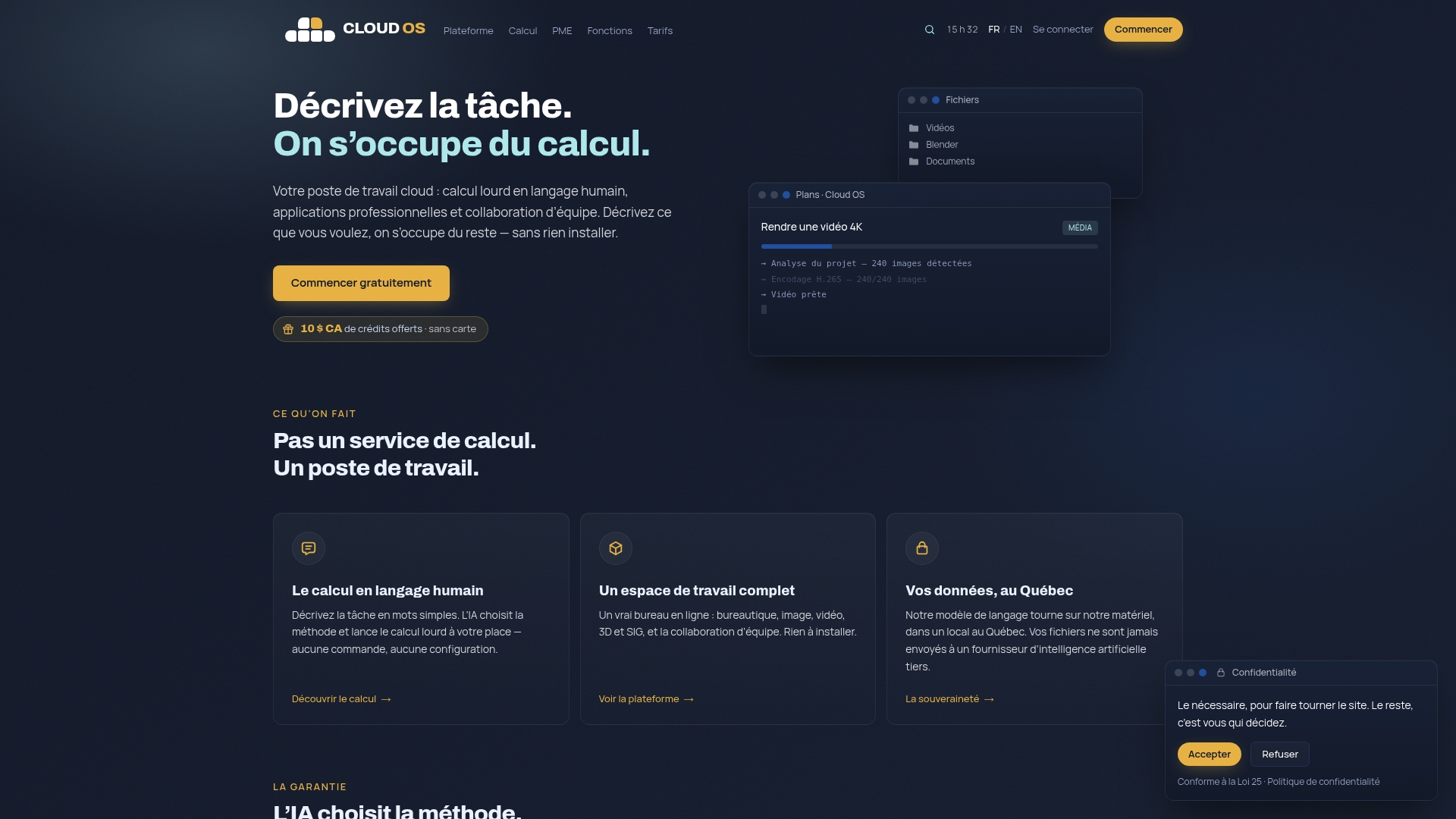
- See the pricing page to compare the two all-inclusive plans: Personal at CA$10 per month and Business at CA$60 per month, each with a monthly usage allowance tracked by a gauge.
- Web Hosting is available from CA$9 per month, as shown on the features page.
- Test a concrete case, such as a mining project, on the page dedicated to exploration in Québec.
- Explore the heavy computing and 3D rendering capabilities before starting a trial.
Start the 14-day free trial, no credit card required, on your own business case, then check the reproducibility of the results you get.
Sources
- Guidance on the security categorization of cloud-based services — Canadian Centre for Cyber Security (in French)
- White paper: data sovereignty and public cloud — Government of Canada (in French)
- Digital sovereignty — Government of Québec (in French)
Frequently asked questions
What really defines a secure cloud for a small business?
A secure cloud combines verifiable data residency, proportionate technical controls such as encryption and multi-factor authentication, and clear contract clauses on ownership and jurisdiction. According to the Government of Canada’s white paper, physical location alone is not enough.
How do you verify a cloud provider’s real sovereignty?
Ask for written proof of server ownership, the applicable contractual jurisdiction and the list of subcontractors with access to the data. The Government of Québec specifies that digital sovereignty rests on real control of the infrastructure, not just its geographic location.
Which baseline security controls should you require before signing?
Require data encryption, multi-factor authentication on every account, and backups tested regularly through actual restores. Canadian guidance for small businesses confirms that these three elements are the minimum foundation before any commitment.
How much does a cloud workspace like Cloud OS cost?
Cloud OS offers two all-inclusive plans, billed in Canadian dollars: Personal at CA$10 per month and Business at CA$60 per month, with Web Hosting available from CA$9 per month, according to the provider’s pricing page. Each plan includes a monthly usage allowance, tracked with a gauge rather than billed per task, and you can start with a 14-day free trial, no credit card required.
Who remains responsible if the cloud provider suffers a breach?
Under the shared responsibility model, the client business remains responsible for the confidentiality and availability of its own data, even with a managed service. The Canadian Centre for Cyber Security recommends getting this split of responsibilities in writing before signing a contract.