
CRM for small businesses: which tool to choose for your stage of growth
Published on · Updated on
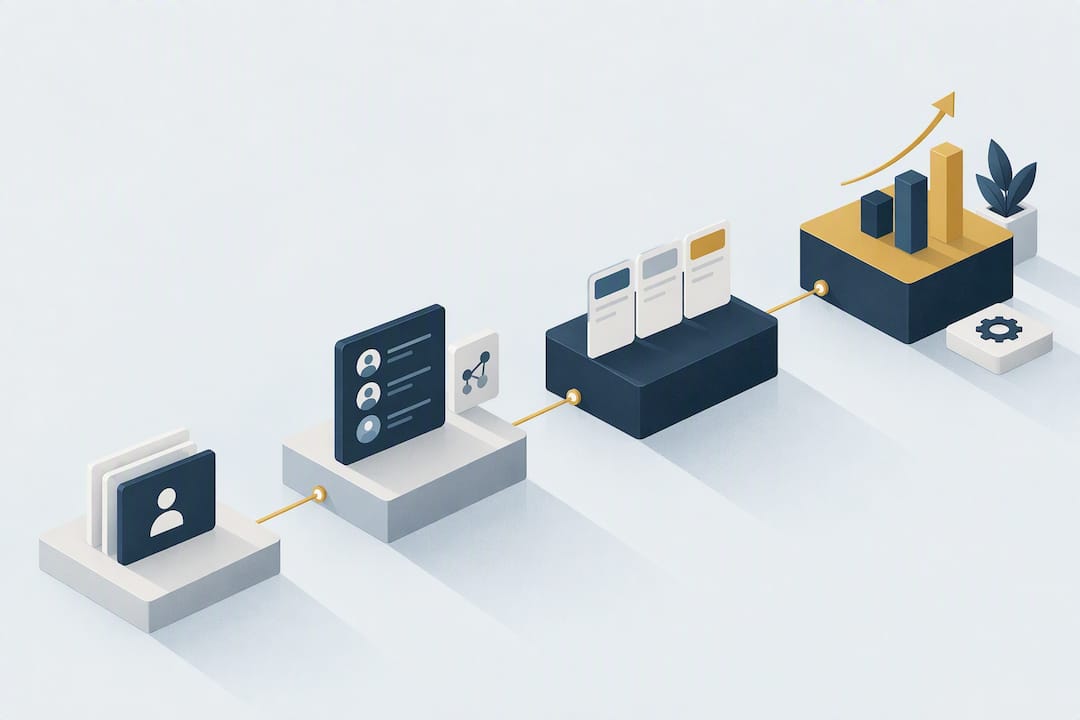
For a small business just starting to sell, a lightweight CRM that deploys quickly is more than enough. As soon as the pipeline takes shape with several salespeople, you need a tool built for oversight, with reliable reporting. Past a certain volume of contacts and workflows to automate, a scalable platform becomes necessary. An option like Cloud OS, which brings CRM and business tools together in a cloud environment with data sovereignty, deserves a trial if you want to avoid piling up separate subscriptions.
In brief:
- A lightweight CRM suits a small business in its start-up phase, while from several salespeople onward, a tool with reliable reporting becomes essential.
- Effective management rests on a centralized history, a visual pipeline and the automation of repetitive tasks, to raise the closing rate and free up time.
- The software must let you quickly find a customer’s history, view the pipeline without extra software, automate follow-ups and track key indicators easily.
- It is crucial to integrate the CRM with email, the calendar and invoicing, to avoid the manual re-entry that slows down selling.
- Choose a CRM suited to your stage of growth, avoiding over-customization or installing an overly complex tool too early, and favour data portability.
Table of contents
- Why a CRM really changes how a small business sells
- The must-have features of a small-business CRM
- Choosing according to how structured your sales are
- The real budget of a CRM for a small business
- The six-step implementation plan for a small business
- The pitfalls that make CRM adoption fail
- Why Cloud OS deserves a trial to centralize your small-business tools
- The author’s perspective
- Try Cloud OS to centralize CRM and business tools
- Sources
- Frequently asked questions
Why a CRM really changes how a small business sells
A CRM is not there to look good in a sales demo. It is there to stop losing prospects in forgotten Excel files or overflowing inboxes. The difference plays out on three concrete levels: the overall view of the customer, the structure of the pipeline and the automation of repetitive tasks.
With a centralized history, each salesperson sees at a glance the past exchanges, the quotes sent and the follow-ups still pending. The visual pipeline replaces the spreadsheets where an opportunity gets lost between two follow-ups. And the automations, however simple (sending a follow-up email, creating a task after a meeting), free up time that sales teams usually spend on data entry rather than on selling.
The figures reported on successful deployments show tangible gains: some studies mention up to 20% more closed deals and six hours a week recovered per salesperson after a structured rollout. These gains do not come from how feature-rich the tool is, but from whether the teams actually adopt it.
That is precisely where the most common trap lies. The number-one risk is not choosing a CRM that is too simple; it is choosing a CRM that is too complex for the size of the team. An oversized tool multiplies the fields to fill in, the workflows to configure and the reasons to give up on the tool after three weeks.
Concretely, a CRM well calibrated for a small business must let you:
- find a customer’s complete history in fewer than three clicks;
- view the sales pipeline without opening a second piece of software;
- automate at least follow-ups and the creation of follow-up tasks;
- produce a weekly report without manually extracting data.
Pro tip: before comparing features, list the three most repetitive sales tasks in your team. A good CRM should eliminate at least two of them within the first month.
The must-have features of a small-business CRM
Not all CRM features are worth the same to a small organization. Some are vital; others are gadgets you will never use.
The four functions that really make the difference
Contact management and contact history remain the backbone of any CRM. Without a clean, centralized customer file, nothing else works properly.
The sales pipeline comes next: it must be visual, editable by drag and drop, and reflect the real stages of your sales cycle, not a generic template imported by default.
Automations turn a simple address book into a working tool. An automatic follow-up after a quote goes unanswered, a notification when a lead stays inactive too long, a task created after a missed call: these small triggers are what save time day to day.
Reporting closes the loop. The owner of a small business must be able to pull up the state of the pipeline and a conversion rate without asking someone to compile a table by hand.
The integrations that avoid double entry
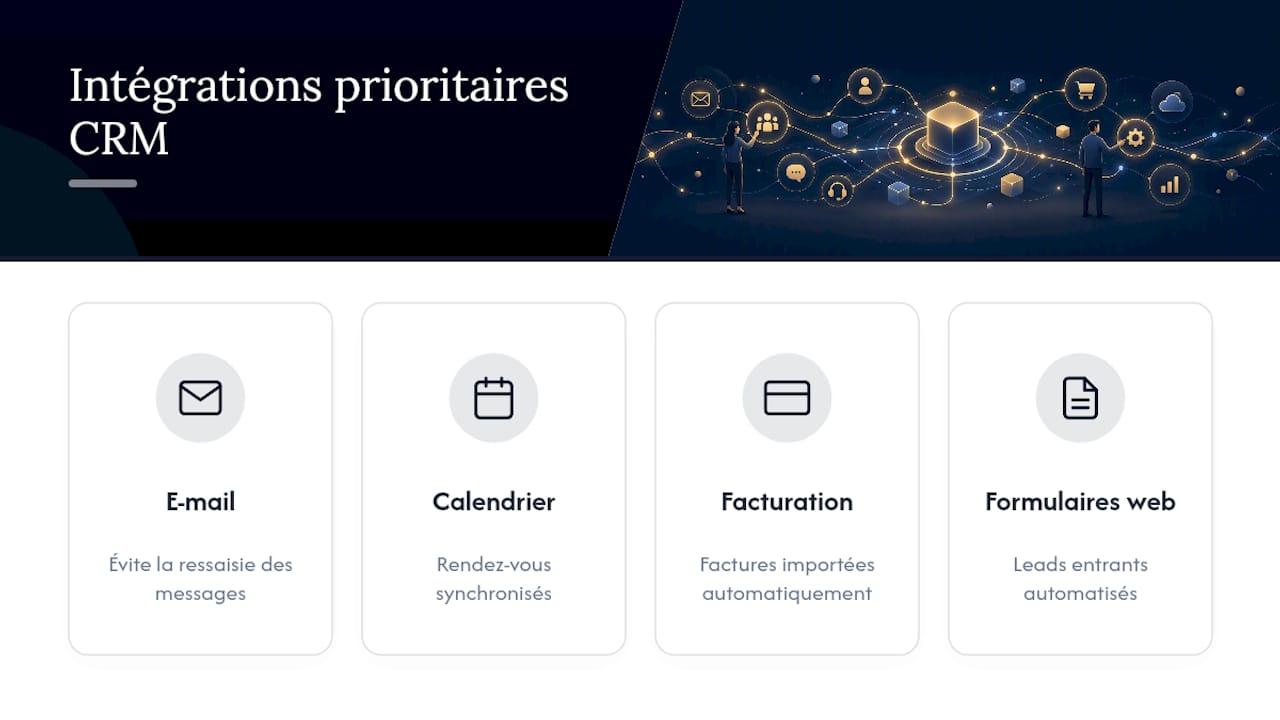
A CRM cut off from the rest of the work environment creates more friction than it removes. The integrations that truly matter for a small business are email, the calendar, invoicing and the website’s forms. Without those connections, every new lead requires manual re-entry, which drives away salespeople and poorly followed prospects alike.
The criteria too often forgotten
Beyond the visible features, three non-functional criteria weigh heavily over time:
- ease of administration: being able to add a field or a user without a support ticket;
- responsive support in French as well as English, not only during US office hours;
- data portability, meaning the ability to export your entire database without depending on the vendor’s goodwill.
This last point deserves a closer look, given how often it is overlooked at signing time.
Choosing according to how structured your sales are
The best CRM is not the one with the most features. It is the one that matches how structured your sales organization is, not the brand’s reputation. A five-person business that installs a CRM designed for teams of fifty salespeople spends more time configuring the tool than selling.
-
Stage 1, early structuring. One or two salespeople, no formal process, and follow-up still done largely from memory or in a spreadsheet. At this stage, favour a simple tool centred on contacts and a basic pipeline. Turn on the contact record and follow-up reminders first; skip advanced reporting, nobody will use it.
-
Stage 2, structured oversight. Several salespeople, an identifiable sales cycle, and a real need for visibility on the owner’s side. Here you need a CRM coupled with invoicing, with reporting that holds up. Prioritize automated follow-ups and a weekly dashboard shared with the team.
-
Stage 3, tooled-up growth. The sales team exceeds ten or so people, several acquisition channels coexist, and the business tools (invoicing, support, marketing) must talk to each other. This is the time to move to an integrated platform that centralizes the CRM and related applications rather than stacking up disconnected subscriptions.
The classic mistake is to skip a step in anticipation, installing a platform designed for stage 3 as early as stage 1. The result: weeks of configuration for functions nobody uses, and a team that abandons the tool before even testing it seriously. Move up when the operational pain becomes real, not when a vendor’s sales rep shows you an impressive demo.
The real budget of a CRM for a small business
The advertised price per month and per user is never the total cost. You have to add implementation, migration of existing data, training and ongoing maintenance, line items that often add up to more than the subscription itself in the first year.
Here are indicative ranges by size of the sales team, all-inclusive over twelve months:
These amounts vary enormously depending on the level of customization requested and the volume of historical data to migrate.
A few reflexes help spot the hidden tiers before signing:
- check whether the advertised price includes advanced automations or whether they are reserved for a higher tier;
- ask for the exact cost of a complete export of your data if you leave the tool in two years;
- calculate the cost per active user rather than per licence purchased; dormant licences cost a lot and bring nothing back;
- include training time in the return-on-investment calculation, not just the software bill.
The six-step implementation plan for a small business
A failed rollout often costs more than having no tool at all. A well-run rollout follows a logical progression rather than a rushed installation on a Friday afternoon.
-
Audit of real needs (one to two weeks). Map the current sales cycle and identify the three main irritants. Deliverable: a short requirements document; two pages are enough for a small business.
-
Minimum viable choice. Select the tool that covers those irritants without aiming for functional completeness. Resist the temptation to add modules “for later”.
-
Pilot in a test environment (one to two weeks). Before any commitment, test with two or three real prospects during a trial period, ideally fourteen days. This is often more revealing than a sales demo: the right tool is the one the team opens spontaneously the next day, without being reminded.
-
Data migration (a few days). Clean the database before the import rather than after. A tight data model, around fifteen fields at most per record, markedly improves record completion and the quality of the reports built on it.
-
Ongoing training (four weeks). The method that works combines several short sessions of under 90 minutes, five-minute reference videos and hands-on support during the first weeks of use, rather than a single day of intensive training that is quickly forgotten.
-
Review of adoption indicators. Track the daily login rate and the completion rate of contact records. Precise framing, with a named project lead and a clear requirements document, remains the factor that separates successful rollouts from silent abandonment six months later.
Pro tip: name an internal “CRM owner” from day one, even part-time. Without a designated person in charge, nobody corrects bad data-entry habits and the tool quietly degrades.
The pitfalls that make CRM adoption fail
Most CRM rollout failures do not come from choosing the wrong tool, but from execution mistakes that repeat from one small business to the next.
- Over-customization. Adding twenty custom fields at launch complicates data entry and discourages salespeople before they have even tried the tool.
- Mass import of stale data. Copying over a five-year-old customer database without cleaning it pollutes the CRM from day one and skews every report built on it.
- No CRM owner. Without a clearly designated person in charge, nobody arbitrates conflicting requests or enforces the minimum data-entry rules.
- No guarantees on reversibility. Requiring a complete, documented export with no hidden fees from the moment you sign avoids being trapped if the tool no longer fits in two years.
The three levers that turn the tide are well known: communicate clearly about the concrete benefits for each salesperson, rely on one or two convinced internal champions, and structure the training rather than rushing it into a single session. Nothing sophisticated, but that is exactly what is missing in most failed rollouts.
Why Cloud OS deserves a trial to centralize your small-business tools
Cloud OS does not present itself as one CRM among others, but as a cloud work environment that brings business management and CRM together with office tools, email and the calendar in a single space, accessible with nothing installed locally. For a small business already juggling several scattered subscriptions, this centralization concretely changes the day-to-day.
Three things are worth noting:
- the infrastructure is hosted locally in Quebec, which directly addresses the digital-sovereignty concerns of Canadian small businesses;
- the AI selects the appropriate calculation method; execution rests on a deterministic engine that guarantees reproducible rather than approximate results.
For a small business at stage 2 or 3 described above, the concrete benefit lies in pooling: rather than adding an invoicing tool, a video-conferencing tool and a data-processing tool around the CRM, everything lives in the same work environment, designed for Quebec small businesses. This does not exempt you from tracking the adoption KPIs mentioned above, but it reduces the number of places where a sales team can get lost.
The author’s perspective
The real debate is not “which CRM is the best”, it is “which CRM matches what my team will actually be doing in three months”. Most small businesses choose a tool for its features and discover six months later that only three of them are used.
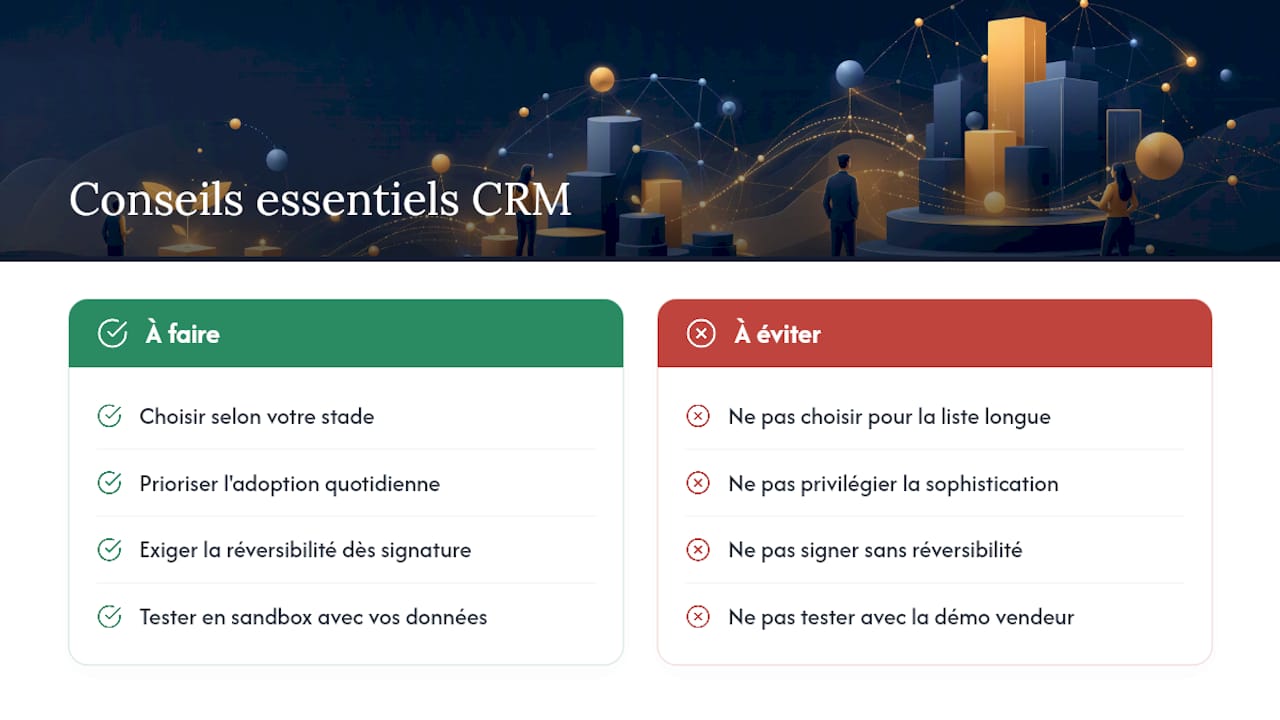
My recommendation comes down to three points. Choose according to your stage, not according to the longest feature list. Prioritize adoption over sophistication; a tool opened every day is worth more than a complete tool that is ignored. And demand reversibility when you sign, never afterwards.
Before any commitment, test in a sandbox with your own data, not with the demo dataset supplied by the vendor. It is the only way to know whether the tool fits your real habits rather than those of a fictional customer invented for the demo.
— Maxime
Try Cloud OS to centralize CRM and business tools
Rather than stacking a CRM, an invoicing tool and a separate office suite, Cloud OS proposes to bring these uses together in a single cloud environment, with usage-based billing rather than a fixed plan.
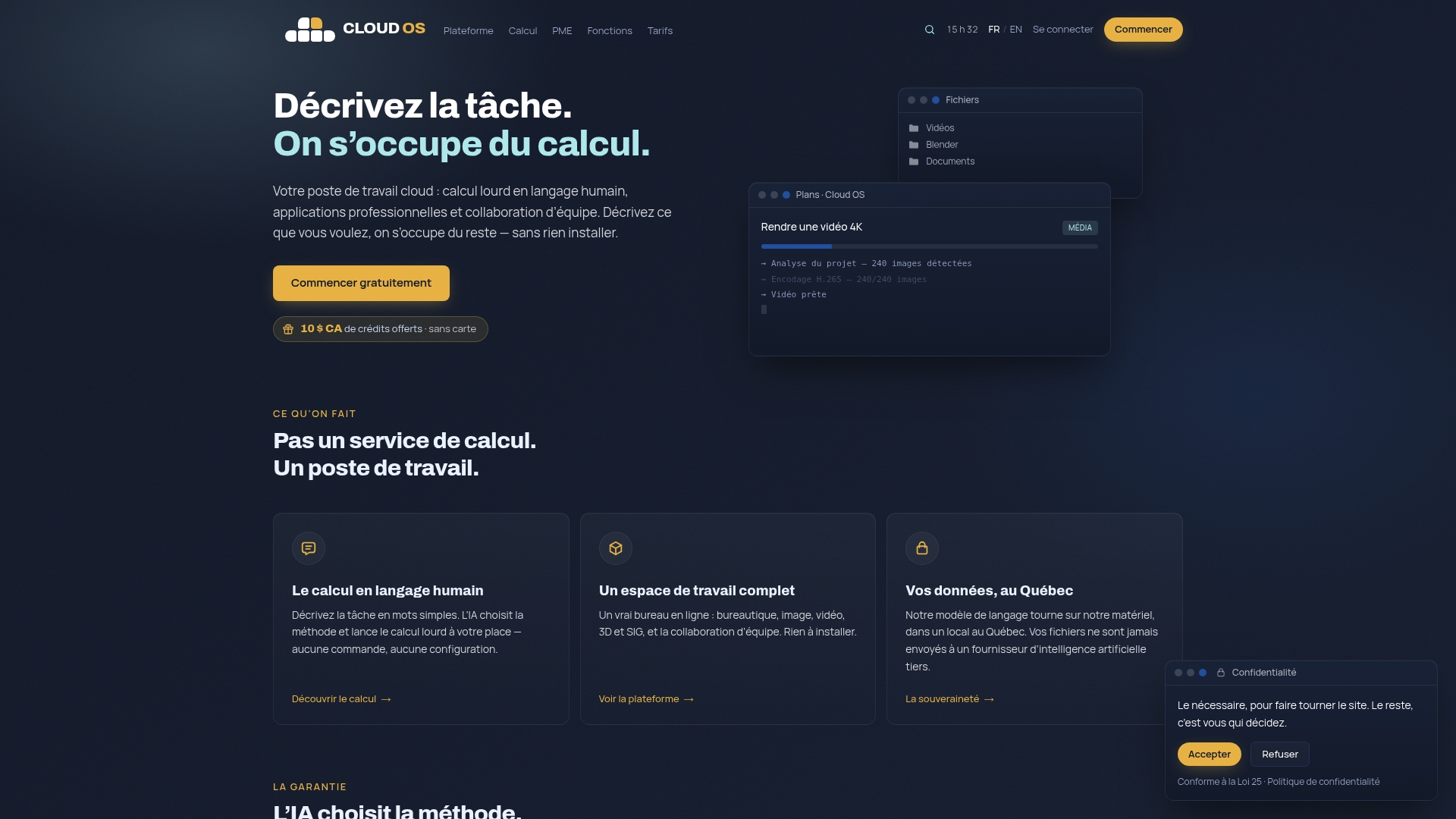
Specific processing (documents, data, web extraction) is then billed per task, from CA$0.25. A Sandbox at US$15 per month lets you test in real conditions before any broader commitment, exactly the approach recommended earlier in this article.
To assess whether Cloud OS matches how structured your sales organization is, see the details of the pricing and the credit grid and run a test with your own contacts rather than with fictional data.
Sources
To go further on the method for selecting and rolling out a CRM, these resources detail the points covered in this article:
- Réussir son projet CRM : guide complet en 5 étapes clés (2026)
- CRM TPE et PME : le guide pour bien choisir en 2026 | Cartelis
- CRM user training best practices | Whatfix
- How Canadian small businesses can choose the right CRM solution
Frequently asked questions
What are the three types of CRM?
A distinction is generally made between the operational CRM, centred on day-to-day contact and sales-pipeline management; the analytical CRM, which uses data to produce reports and forecasts; and the collaborative CRM, which shares customer information between several departments (sales, marketing, support). Most tools for small businesses combine the three functions in a single interface rather than separating them.
How much does CRM software cost for a small business?
The cost varies mostly with the size of the team and the level of customization, with annual subscriptions ranging from a few hundred euros for a small team to several thousand euros for twenty-five users or more, training and migration included. At Cloud OS, access to the work environment starts at US$10 per month with the Discovery plan, with additional per-task billing for specific processing.
What is the best management software for a small business?
There is no single answer: the best tool is the one that matches how structured the company’s sales organization is, rather than its reputation. A small business that centralizes CRM, invoicing and office tools in a single environment, as Cloud OS allows, often avoids the proliferation of disconnected subscriptions that complicates day-to-day management.
What are the criteria for choosing a small-business CRM well?
The decisive criteria are ease of use, integrations with email and invoicing, the quality of support in French and the guarantee of a complete data export if you change tools. Testing the tool in real conditions with two or three real prospects before committing remains the most reliable way to gauge how the team will adopt it.
Should a small business choose a cloud CRM or a locally installed CRM?
A cloud CRM avoids installation, manual updates and server costs, which suits most small businesses without a dedicated IT team. A locally installed CRM can be justified by strict regulatory constraints, but locally hosted cloud solutions, such as Cloud OS in Quebec, already address data-sovereignty concerns without sacrificing the flexibility of the cloud.