
Cloud migration: the method that avoids failure
Published on · Updated on
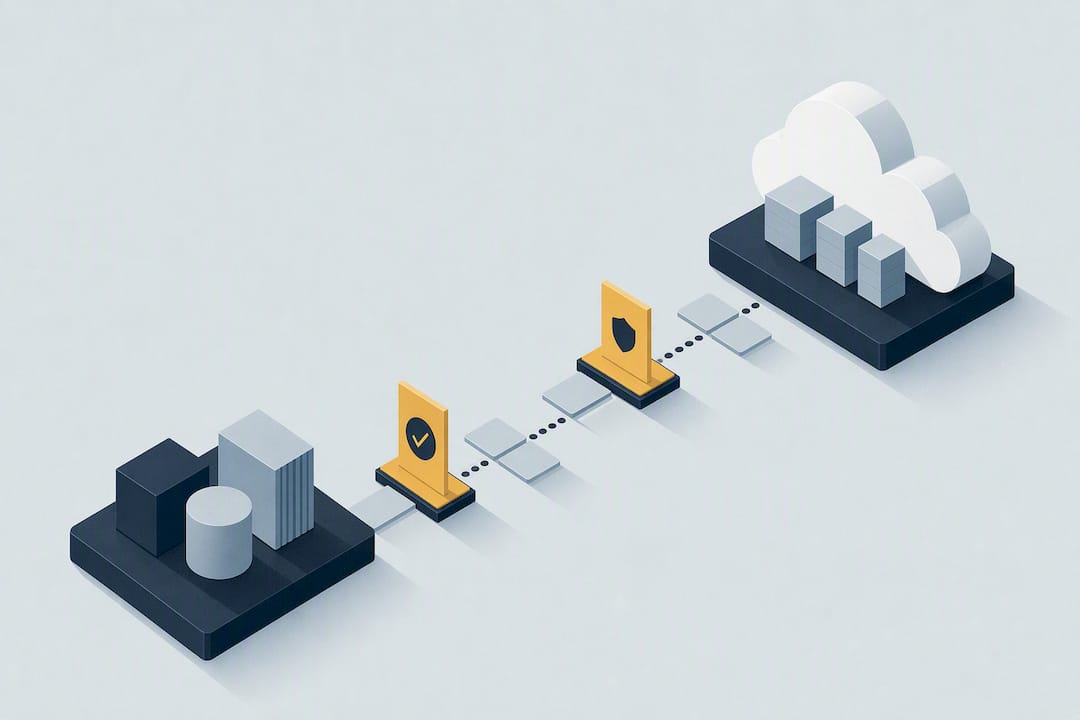
A successful cloud migration rests on three pillars: a landing zone tested before anything is moved, a complete map of application dependencies, and an execution plan in waves rather than a single big-bang cutover. A solution like Cloud OS can suit small and medium-sized businesses looking to combine data sovereignty with access to heavy compute, without running any infrastructure. The expected outcome is not speed, but lower operational risk and a stable cloud operation from day one.
In brief:
- A cloud migration must start with a precise map of dependencies and tested landing zones, to reduce operational risk.
- The migration strategy should come from a structured assessment along the “7 Rs”, weighing technical debt, complexity and business value.
- The preparation phase — landing zone design and data migration in particular — matters as much as the migration itself for stability and compliance.
- Cost control, through rigorous tagging and post-migration rightsizing, is essential to avoid budget overruns.
- Success also depends on training teams ahead of time, clear communication, and limited pilots to validate procedures and architecture before migrating at scale.
Table of contents
- What exactly is cloud migration?
- How to choose the right migration strategy per application (the 7 Rs)?
- What are the phases of a cloud migration program?
- How to build a solid landing zone and avoid vendor lock-in?
- Which security measures apply during the migration?
- How to migrate and validate data without loss or downtime?
- How to keep costs under control with FinOps best practices?
- Which checklist to follow before each migration wave?
- How to prepare teams for organizational change?
- What impact does migration have on performance?
- Which backup and disaster recovery strategy to adopt in the cloud?
- How to handle sensitive data and regulatory compliance?
- How to assess your current infrastructure before migrating?
- Perspective: what a migration project really reveals
- Local infrastructure for small businesses moving to the cloud
- Recommended reading and resources
- Sources
- Frequently asked questions
What exactly is cloud migration?
Cloud migration means moving applications, data and workloads from on-premises infrastructure (or from another provider) to a public, private or hybrid cloud environment. It touches three distinct categories of assets: the business applications themselves, the databases and files that feed them, and the underlying infrastructure (servers, network, storage) that has to be rebuilt or adapted in the new environment.
The most-cited benefit is still financial: moving from a capital expenditure model (buying servers, multi-year maintenance contracts) to operating expenses that track actual usage. But it is not the only gain. A well-designed cloud infrastructure brings a scalability that physical hardware cannot match, direct access to managed services (databases, GPU compute, AI tooling) without deploying them yourself, and better resilience through multi-zone replication.
The risks, on the other hand, are too often underestimated during the sales phase:
- Cost drift: without governance, cloud bills climb fast, especially through forgotten resources in non-production environments.
- Vendor lock-in: proprietary data formats or an architecture too specific to one provider make any exit expensive.
- Regulatory compliance: data location, encryption and industry obligations must be checked before the migration, not after.
- Latency and performance: some critical applications can suffer from a poorly planned move if network proximity is not taken into account.
These risks are not reasons to give up on migration. They are watch points to document in the project plan, each with a clearly identified owner.
How to choose the right migration strategy per application (the 7 Rs)?
Not every application deserves the same treatment. The “7 Rs” framework structures the decision application by application:
- Rehost (“lift and shift”): move the application as is to the cloud, with no code changes. Fast, but captures none of the cloud-native benefits.
- Replatform: adjust the architecture slightly (for example, move to a managed database) without deeply rewriting the application.
- Refactor (or re-architect): rebuild the application to take full advantage of cloud-native services, often toward a microservices architecture.
- Repurchase: drop the existing application in favour of an equivalent SaaS solution.
- Retire: recognize that the application is no longer used and simply decommission it.
- Retain: keep the application on premises, temporarily or for good, for regulatory or technical reasons.
- Relocate: move a virtualized workload from a data centre to the cloud without changing its technical architecture.
The choice among these seven options should never be arbitrary. A structured assessment framework such as CMRAF proposes evaluating each application along five dimensions: accumulated technical debt, the complexity of its dependencies on other systems, service continuity requirements, the team’s real capacity to carry out a rewrite, and the business value the application generates.
This grid avoids a classic trap: refactoring a low-value application simply because the technical team finds the exercise interesting, while a critical application stays in rehost for lack of time.
In practice, most application portfolios split up like this: a handful of low-value legacy systems end up retired, the bulk of the volume goes to rehost or replatform to move quickly, and only high-impact applications justify a full refactor. Document that split in a decision table before launching the first wave: that document is what serves as the reference later, when deadlines tighten and trade-offs have to be made quickly.
What are the phases of a cloud migration program?
A migration program breaks down into six operational phases, each with its deliverables and checkpoints. Skipping a step, or treating it superficially, is the most frequent cause of things going off the rails.
Discovery. This phase produces an exhaustive inventory of applications, a map of dependencies between systems, and a baseline of current performance (response times, load, costs). Without that map, there is no way to know which application depends on which database, or which third-party service will be affected by a change of IP address.
Decision. From the inventory, the team builds a costed business case and prioritizes applications into migration waves. Waves generally group systems with close dependencies, to limit interactions between migrated and not-yet-migrated environments.
Design. This is where the landing zone gets built: the network, identity and security foundation everything else will rest on. Governance guardrails and infrastructure-as-code (IaC) scripts are written and tested at this stage, not afterwards.
Move. A pilot on two or three applications serves as a full-scale test before scaling up. The pilot validates data replication, automation scripts and rollback procedures before the real volume is committed.
Cutover. Going live follows a formal go/no-go decision, with a rollback runbook that is documented and tested — not written in a hurry on the day.
Operate. Once the workload has stabilized, the team adjusts resource sizing (rightsizing) and establishes clear day-2 ownership: who monitors, who optimizes, who responds to incidents.
A point that is often overlooked: the preparation phase (mobilization and landing zone) frequently takes more calendar time than the technical migration itself. The AWS large migration guide stresses that this mobilization phase is critical: it exists to build a secure foundation and to automate operations before any large-scale transfer. Organizations that underestimate this preparation time end up migrating onto a shaky foundation, which costs far more to fix after the fact.
Watch points by phase:
- Never start design before the discovery inventory has been validated by the business teams concerned.
- Always test the rollback plan before the first real wave, not just on paper.
- Document the cutover go/no-go criteria in advance, to avoid decisions made under pressure on cutover day.
How to build a solid landing zone and avoid vendor lock-in?
The landing zone is the technical foundation the entire migration rests on. It brings together the structure of cloud accounts or projects, the network architecture, identity and access management (IAM), observability (logs, metrics, alerts) and a systematic resource tagging policy.

Building this foundation as infrastructure as code, rather than by hand through a web console, changes everything over time: every component becomes reproducible, versioned and testable. A recommended practice is to validate the landing zone in a test environment (IaC preview) before the first production wave, which noticeably reduces the cost of later fixes: reworking a network architecture after fifty applications have connected to it costs infinitely more than correcting it before the first connection.
The Design to Exit principle completes this foundation. The idea is to design the cloud architecture from the outset so that a future exit, partial or total, remains possible without a complete rewrite. Concretely, that means favouring portable data formats (Parquet, CSV, standard objects rather than proprietary formats), precisely documenting network flows and access rules, and using infrastructure-as-code tools that stay, as far as possible, independent of any single provider. According to the field experience compiled by SFEIR, this architectural discipline often proves more effective at limiting vendor lock-in than a systematic multi-cloud strategy, which mostly adds operational complexity without guaranteeing portability.
Pro tip: Document your network flows and access rules while designing the landing zone, not when you are considering leaving. An up-to-date architecture diagram is worth a thousand hours of reverse engineering on the day you negotiate with a new provider.
Which security measures apply during the migration?
The shared responsibility model changes the picture from day one: the cloud provider secures the physical infrastructure and the virtualization layer, but access configuration, data encryption and identity management remain your responsibility. Many cloud security incidents come from a misunderstanding of that boundary, not from a flaw on the provider’s side.
Three workstreams must be handled in parallel with the technical migration, never after it:
- Identity and access management (IAM): apply the principle of least privilege from the landing zone onward, with distinct roles per function rather than shared administrator accounts.
- Encryption and data loss prevention (DLP): encrypt data at rest and in transit, and classify sensitive data before transferring it, not after.
- Zero trust architecture: verify every access, internal as well as external, rather than trusting by default whatever sits inside the migrated network.
Audit documentation deserves particular attention, and is often neglected in the rush of the schedule. Configuration logs, proof of encryption and access registers must be kept from the design phase onward, because reconstructing that documentation after the fact for a compliance audit is a long and frustrating exercise. A provider’s terms of use and privacy policy give a good indication of the level of rigour expected on these matters, and are worth reading before signing, not after an incident.
How to migrate and validate data without loss or downtime?
Data migration is often the most fragile link in the project, because it touches business integrity directly.
- Bulk offline transfer: suited to data volumes that can tolerate a window of unavailability, often overnight or on a weekend.
- Continuous replication: data is synchronized in real time between the source environment and the target, which allows a near-instant cutover but requires a robust replication infrastructure.
- Progressive cutover: part of the traffic or of the users migrates first, which validates real behaviour before a full switch.
Before each migration wave, dependency discovery must be run again, not performed only once at the start of the project. A missed dependency between two systems remains the most frequent cause of failure at cutover, according to Qovery’s cloud migration checklist: an application that looked self-contained sometimes reveals, at the last minute, a call to a database that stayed on premises.
Technical validation follows a multi-step protocol: data integrity checks (checksum comparison, record counts), performance tests under real conditions, user acceptance testing (UAT) led by the business teams themselves, and heightened monitoring throughout the cutover window.
The rollback plan is not an administrative formality. Piloting the procedure on two or three applications before applying it to the whole portfolio concretely validates data replication and rollback scripts before scaling up.
How to keep costs under control with FinOps best practices?
Cloud cost management is consistently at the top of IT leaders’ concerns, and migration is the moment when bad habits either set in or get corrected. Four predictable causes explain most budget overruns: no proper rightsizing, test or development environments left running permanently, no systematic resource tagging, and network egress fees that were not anticipated. All four are fixed with discipline, not with additional tools.
The concrete actions to put in place, in order:
- Tag every resource when it is created, with an identifiable owner, a cost centre and an environment (prod, test, dev) attached.
- Review sizing about thirty days after cutover, once the real load is known, rather than relying on design-phase estimates.
- Automate shutting down non-production environments outside business hours, which mechanically lowers the bill with no recurring manual effort.
- Wait for 60 to 90 days of stable operation before committing to reservations (reserved instances, savings plans): committing too early on poorly estimated volumes often costs more than paying on demand during that observation period.
A mature FinOps practice spreads these responsibilities across finance, technology and the business, with indicators tracked regularly: cost per application, actual utilization rate of reserved resources, gap between forecast budget and actual bill. Qovery’s migration checklist reminds us that these four causes of overrun are largely avoidable with rigorous tagging and prompt rightsizing after cutover — two low-cost actions with a strong corrective effect.
Which checklist to follow before each migration wave?
A compact checklist, verified before each wave rather than once at the start of the project, prevents most avoidable incidents:
- Application inventory and dependency map validated and up to date.
- Landing zone tested in a pre-production environment, not merely documented on paper.
- Systematic resource tagging in force from the very first resource created.
- Rollback plan written, tested and known to the entire on-call team.
- Cutover go/no-go criteria defined in advance, not improvised on the day.
- Heightened monitoring window scheduled for the first 48 to 72 hours after cutover.
The mistakes that come back most often from one project to the next: no dependency map (the most-cited cause of cutover failure in Qovery’s field experience), a landing zone built too late or alongside the first migrations rather than ahead of them, no tagging policy from the start, and rightsizing postponed indefinitely for lack of time.
Key takeaway: a pilot limited to two or three applications, run before any large-scale migration, validates the landing zone, data replication and rollback procedures under real conditions but with contained risk, as Qovery’s 12-step migration methodology points out. It is this full-scale test, not the theoretical documentation, that exposes the plan’s weaknesses before they become expensive.
One signal that should trigger an immediate pause: any dependency discovered mid-wave that was not documented in the initial inventory. Better to stop, map, then resume than to keep going on an incomplete foundation.
How to prepare teams for organizational change?
A technical migration rarely fails for purely technical reasons. It often fails because the teams who operate the systems day to day were not trained, informed or involved in time.
Training must start well before cutover, not the day after. System administrators used to on-premises infrastructure have to learn new monitoring tools, new on-call procedures, and sometimes an entirely different technical vocabulary. Without that support, the risk is not just a dip in productivity: it is a silent rejection of the new tools, where teams go back to their old habits as soon as they can.
Internal communication deserves as much attention as technical training. Business users need to know in advance when an application will be temporarily unavailable, what changes in the way they work, and who to turn to if something goes wrong. A dedicated support channel during the first weeks after migration, with fast answers, defuses most frustrations before they reach management.
Finally, appoint internal champions — people already comfortable with the new tools — who can answer their colleagues’ questions day to day. That human relay, more than any documentation, speeds up real adoption of the new environments.
What impact does migration have on performance?
Moving an application to the cloud does not automatically guarantee better performance. In some cases, a poorly rehosted application (pure rehost, with no adjustment at all) can even be slower than on its original infrastructure, particularly if network latency between application components increases after the migration.
Real performance gains show up mostly when the architecture is adapted to cloud-native services: managed databases with automatic scaling, geographic load balancing, distributed caching. That is one of the arguments for replatforming or refactoring high-traffic applications, rather than a simple rehost that preserves the limits of the original architecture.
Post-migration optimization happens in two stages. First, an observation phase of about thirty days collects real usage data: which resources are undersized, which are oversized, where the network bottlenecks are. Then a continuous adjustment cycle (rightsizing, caching, revisiting the most heavily used architectures) becomes a recurring activity, not a one-off project closed after cutover.
A point often forgotten: the performance end users perceive also depends on their own geographic location relative to the chosen data centres. Local infrastructure, like the one Cloud OS offers in Québec, reduces that latency for teams located in the same region.
Which backup and disaster recovery strategy to adopt in the cloud?
The cloud does not replace a backup strategy. It simply changes the mechanisms and, when well designed, reduces the cost and operational complexity.
A robust disaster recovery strategy rests on two indicators to define before — never after — an incident: the recovery time objective (how long the organization can tolerate an outage) and the recovery point objective (how much recent data can be lost without serious consequences). Those two numbers directly determine the backup architecture to put in place, not the other way around.
Three levels of protection are generally combined. Regular, automated backups stored in a geographic zone distinct from the production environment protect against ordinary data loss. Multi-zone or multi-region replication protects against the failure of an entire data centre. And regular restore tests, run under real conditions and not just documented on paper, guarantee the backup actually works on the day it is needed.
That last point is the one most often missing: a backup that has never been tested is only a hypothesis. Schedule a full restore exercise at least once a quarter, with the teams who will actually have to run it in a crisis, not only the team that designed the procedure.
How to handle sensitive data and regulatory compliance?
Cloud migration is the ideal moment to clarify, or fix, the governance of sensitive data. Too many organizations discover after the fact that personal or regulated data was circulating in their original systems without any clear classification.
Data location remains the first watch point for any organization subject to data residency obligations, whether it is the GDPR for data about European residents or other industry-specific regulatory frameworks. Before migrating, identify precisely where each category of data will be physically stored, and verify that this location meets the obligations that apply to your organization and your customers.
Encryption, pseudonymization of personal data where possible, and keeping a record of processing activities become technical prerequisites to build directly into the landing zone design, not last-minute additions. The documentation of data flows between systems, already needed for the Design to Exit approach mentioned above, also serves as the basis for any regulatory impact analysis.
A cloud provider that hosts data on local infrastructure, as Cloud OS does in Québec, simplifies certain aspects of this compliance for organizations whose regulatory obligations require data residency in a specific territory. It does not replace the compliance analysis specific to each industry, but it removes a major variable of uncertainty.
How to assess your current infrastructure before migrating?
Before any migration decision, an assessment of the existing environment is essential. The exercise answers a simple but often poorly handled question: what do we actually own, and how do these elements interact with each other?
The technical inventory lists every application, every database, every network dependency, with their real rather than theoretical level of use. Automated discovery tools scan the existing infrastructure to reveal connections the official documentation forgot — which happens more often than you would think in environments that evolved over several years without the documentation being updated.
A technical debt assessment completes the inventory: which applications rely on obsolete software versions, which architectures have accumulated temporary fixes that were never properly resolved. This assessment directly feeds the choice of strategy among the 7 Rs discussed above, through a framework such as CMRAF.
Finally, establishing a performance baseline before migration gives an objective point of comparison after cutover. Without that reference, there is no way to know whether a slowdown perceived after migration is real or simply an impression tied to the change of environment. Document response times, average load and usage peaks before you start — it will be your only reliable benchmark afterwards.
Perspective: what a migration project really reveals
Most migration guides sell speed. The real differentiator is preparation discipline: organizations that take the time to map their dependencies and test their landing zone before the first wave almost always come out better than those that migrate fast and fix things afterwards. That is not a contrarian opinion; it is what industry field experience shows, project after project.
Cloud OS fits this pragmatic logic for Québec small and medium-sized businesses: local hosting, usage-based pricing, and access to heavy compute with no infrastructure to manage. These are not vague marketing promises; they are factual characteristics of the service, documented on its small-business page. Honesty is due about what is missing, though: to date there are no widely published independent third-party evaluations of the service. IT decision-makers should treat that absence as something to verify for themselves, not as a disqualifying obstacle.
— Maxime
Local infrastructure for small businesses moving to the cloud
For a Québec small business moving to the cloud, the question that always comes back is the same: where does my data really go, and who can access it? Cloud OS answers that concern by keeping processing on locally owned infrastructure in Québec, with pricing that follows actual usage rather than a fixed, oversized commitment.
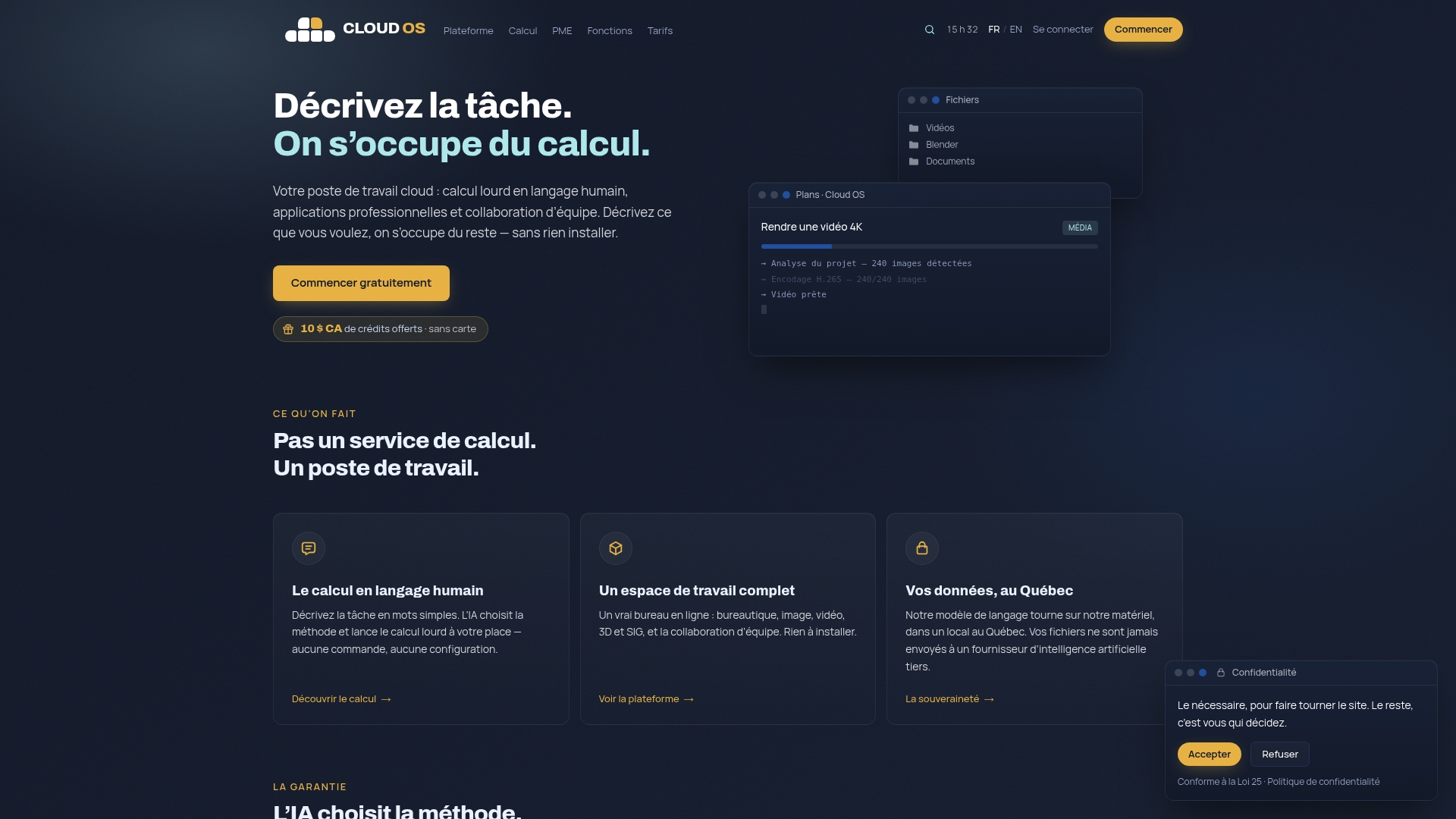
Three use cases illustrate this approach concretely. An engineering firm that occasionally needs 3D rendering no longer has to invest in dedicated GPU workstations: compute happens on demand, billed per frame. A team that regularly processes geospatial data gets GIS tools without a local install or a heavy licence to manage. And a company that produces media content can run video editing or image processing straight from the browser, without sizing a specialized workstation for every employee.
Pricing follows the same logic of flexibility, with monthly plans suited to different uses, detailed on the pricing page. Specific tasks such as GPU compute, 3D rendering, web scraping or image processing are billed per unit, so you never pay for capacity you do not use. For a small business weighing its next migration step, looking at the available features gives a concrete view of what is accessible with nothing to install.
Recommended reading and resources
To go deeper into the methodology presented here, several resources are industry references. The AWS large migration guide details the mobilization phase and the construction of a secure landing zone. Qovery’s 12-step checklist remains the most concrete reference for structuring a project phase by phase, with a particular focus on cost traps. For Design to Exit and field experience, SFEIR’s analysis of cloud migration offers practical insight. Finally, to structure the choice among the 7 Rs, the CMRAF framework proposes a rigorous multi-criteria assessment grid.
Sources
- AWS prescriptive guidance — Large migration guide
- Qovery — The Cloud Migration Checklist I Wish I Had
- SFEIR — Migrer vers le cloud en 2026 : méthodologie et retours d’expérience (in French)
Frequently asked questions
What is cloud migration?
Cloud migration means moving applications, data and infrastructure from an on-premises environment or another provider to a public, private or hybrid cloud environment. It generally includes a discovery phase, the construction of a landing zone, execution in waves, and a post-migration operations phase.
How to transfer files to the cloud securely?
File transfers must go through an encrypted channel, with an integrity check (checksum comparison) once the transfer is complete. For large volumes, a bulk offline transfer scheduled during a low-activity window limits the risk of disruption, while continuous replication is better suited to data that changes constantly.
What are the main drawbacks of cloud storage?
Three limits come up most often: dependence on a stable network connection to reach the data, the risk of excessive dependence on one provider if the architecture was not designed to stay portable, and costs that can climb without clear governance of tagging and resource sizing.
What is the cloud on a phone or a computer, in everyday use?
In everyday use, the cloud means access to applications and data stored on remote servers rather than on the device itself, reachable over an internet connection. An environment like Cloud OS applies the same principle at a professional scale: office, media processing and compute tools stay accessible with nothing installed locally.
How much does a cloud migration cost for a small business?
The cost depends heavily on data volume, the number of applications and the strategy chosen among the 7 Rs, which makes a single figure unreliable without a prior assessment. For occasional compute or processing needs, Cloud OS usage-based pricing starts at around CA$0.25 per task, with monthly plans listed on the pricing page.