
Premiere Pro vs DaVinci Resolve: which one in 2026?
Published on · Updated on
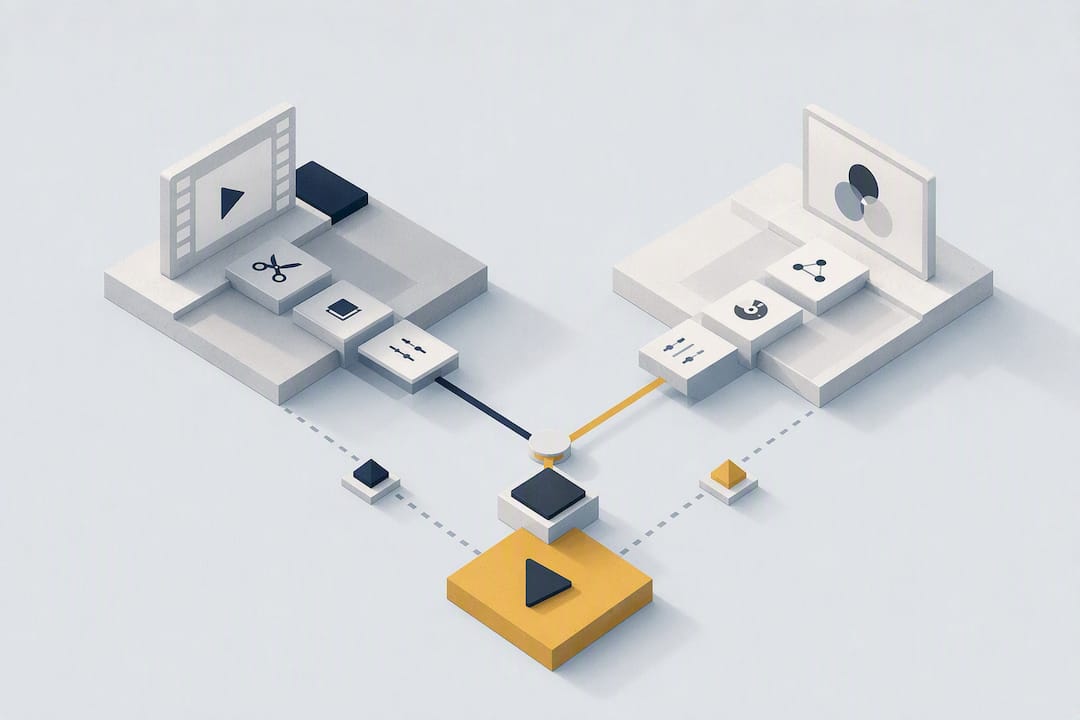
For most colourists, solo editors and budget-conscious small teams, DaVinci Resolve remains the most complete choice, especially since the advances in version 20. For teams already settled in the Adobe ecosystem, with collaboration needs through Frame.io or round trips to After Effects, Premiere Pro stays the smoother option day to day. Both benefited from significant AI updates in 2026, but their licensing philosophies remain radically different.
In short:
- Resolve wins on advanced grading and HDR handling thanks to its node system, while Premiere favours collaboration through Frame.io and Dynamic Link.
- Resolve's perpetual version costs around $295, against a monthly subscription of $22.99 for Premiere, making Resolve cheaper over the long run.
- In production, round-tripping between Resolve and Premiere is possible but sometimes breaks on certain effects or automation, so test it first.
- Recommended hardware varies with the workload, with GPU and RAM mattering most for grading or VFX, particularly on Windows and Linux.
- The financial and operational flexibility you should prefer depends on your profile: solo, fluctuating team or HDR professional each have a different best answer.
Table of contents
- Premiere Pro against DaVinci Resolve: the quick comparison
- What are the real differences between Premiere Pro and DaVinci Resolve?
- What do Premiere Pro and DaVinci Resolve actually cost?
- How do collaboration and team workflows work?
- Which hardware should you favour for each program?
- Premiere or DaVinci: which one for your profile?
- How does a cloud workstation complement your editing setup?
- Do you really have to choose between the two in 2026?
- Cloud OS: an option for your renders without buying hardware
- Sources
- Frequently asked questions
Premiere Pro against DaVinci Resolve: the quick comparison
Before digging into each function, here is where each program takes the lead.
- Editing: Premiere Pro excels with text-based editing and multicam sequence handling; Resolve bets on the speed of its Cut page for tight deliveries.
- Grading: Resolve dominates outright thanks to its node system, inherited from its original life as a colour suite.
- Audio: Fairlight (built into Resolve) rivals dedicated consoles; Premiere leans on Audition instead, an external round trip.
- VFX: Fusion, built into Resolve, handles node-based compositing without leaving the application, while Premiere sends you to After Effects.
- Collaboration: Team Projects and Frame.io give Premiere the edge for distributed teams; Resolve answers with Blackmagic Cloud, but the ecosystem is younger.
- Price: Resolve offers a very generous free version and a perpetual Studio licence at around US$295, against a monthly subscription for Premiere.
- AI in 2026: Resolve strengthened its Neural Engine, while Premiere expanded text-based editing and its generative features.
That table gives the general shape, but each area deserves detail, especially if your production depends on a precise workflow.
What are the real differences between Premiere Pro and DaVinci Resolve?
The most fundamental difference between Premiere Pro and DaVinci Resolve comes down to their origins. Premiere was born as a general-purpose editing tool and grew around the Adobe ecosystem. Resolve started as professional grading software before gradually absorbing editing, audio and VFX.
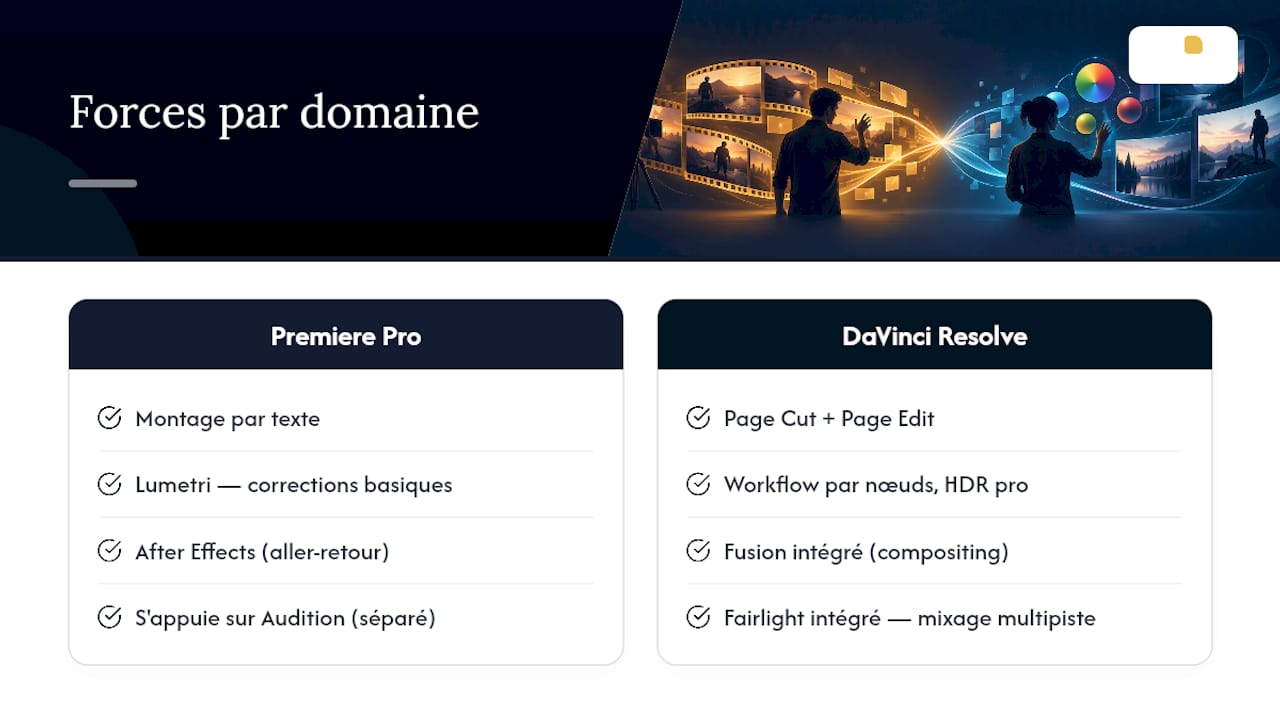
Editing. Premiere Pro bets heavily on text-based editing, where you cut a clip by editing its transcript directly. Resolve offers its Cut page, designed for fast deliveries, alongside a more traditional Edit page close to the Premiere timeline.
Grading. Here the gap widens. Premiere's Lumetri module suits basic to intermediate corrections. Resolve works through nodes, which lets you build complex processing chains, copy grades between shots and handle HDR with a precision Lumetri does not reach. A professional colourist working in HDR or on long-form series almost always prefers Resolve's node-based workflow for that level of control.
VFX and compositing. Premiere sends you to After Effects for any advanced compositing work, which means a round trip between two applications. Resolve integrates Fusion directly, with a node system handling masks, tracking and compositing without changing program.
Audio. Fairlight, built into Resolve, offers multitrack mixing worthy of a dedicated console. Premiere relies on Audition, separate, for serious sound work.
AI tools in 2026. Both platforms have invested heavily. Resolve strengthened its neural engine for scene detection, subject tracking and automatic skin correction. Premiere extended text-based editing and its generative features, notably generative shot extension. These tools speed up repetitive work such as cut detection or automatic reframing, but they do not replace the judgement of a colourist or a mixer on a fine creative decision.
What do Premiere Pro and DaVinci Resolve actually cost?
Pricing structure is what really separates the two. Premiere Pro works by subscription only, at roughly US$22.99 a month on an annual commitment for the single application — a figure that climbs fast once you add After Effects or Audition. DaVinci Resolve offers an already very generous free version, and its Studio version sells as a single perpetual licence, with no annual renewal.
By the numbers: Resolve Studio costs around US$295 once, against roughly US$276 a year for Premiere alone. On that basis, Resolve pays for itself in about 13 months for an editor who stays on the same version for several years.
For a solo editor producing content regularly, that gap adds up over three years: roughly US$828 for Premiere alone against a single US$295 payment for Resolve Studio, before counting the extra Adobe modules that push the bill higher. For a team of five with frequent contractor turnover, Premiere's per-seat subscription becomes paradoxically practical: you add or remove seats by the month without buying a perpetual licence for every passing freelancer. A fluctuating team therefore gains flexibility with Premiere, while a stable team saves with Resolve.
How do collaboration and team workflows work?
Teamwork separates the two ecosystems clearly, particularly when deliverables move between several programs.
- Premiere relies on Frame.io for client review and on Dynamic Link for instant round trips with After Effects, without an intermediate render.
- Team Projects lets several Adobe editors work on the same project in real time, with sequence locking.
- Resolve offers Blackmagic Cloud for remote collaboration, with proxy handling for slower connections.
- Resolve also handles multi-user work locally through a shared database — a different approach, but equally robust on a stable network.
- Round-tripping between the two works well for basic picture, but often breaks on animated titles, certain proprietary effects and audio automation, which do not survive the transfer.
If you have to introduce a second program into an established pipeline, test a full round trip on a short project before generalising. Surprises rarely appear during the edit, but almost always at final export.
Which hardware should you favour for each program?
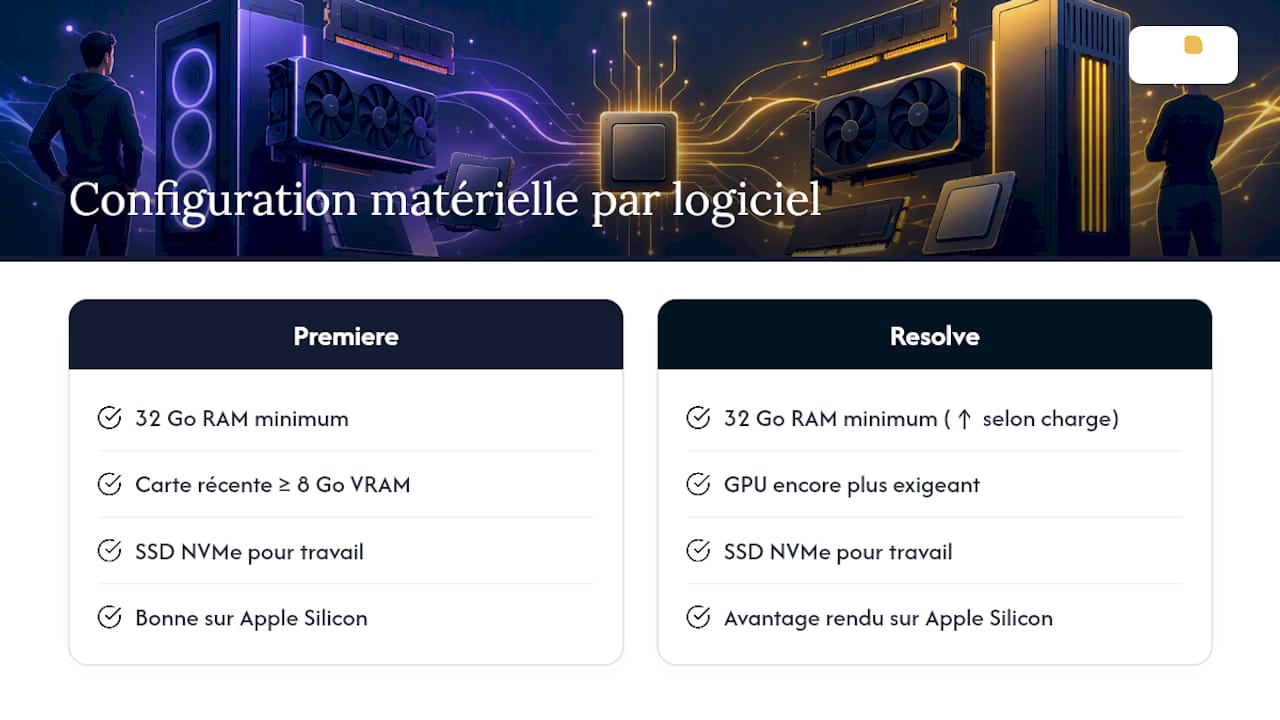
Recommended hardware varies with the intended workload. For comfortable 4K editing with a little grading, count on at least 32 GB of RAM, a recent graphics card with 8 GB of VRAM or more, and an NVMe SSD for working files. Serious grading in Resolve, especially in HDR or with digital noise to clean up, pushes those requirements higher, particularly on the GPU side.
On Apple Silicon, both programs make good use of native hardware acceleration, with a slight edge to Resolve on render tasks thanks to a neural engine optimised for those chips. On Windows, performance depends mostly on the graphics card chosen, with Resolve benefiting particularly from generous GPU acceleration for noise reduction and motion tracking. A detail many comparisons neglect: Resolve also runs on Linux, a real advantage for studios standardising their workstations on that platform, while Premiere remains limited to macOS and Windows.
On stability, both improved in 2026, but Resolve remains more demanding to configure correctly: badly set up, it can saturate VRAM on sequences heavy with Fusion nodes. Premiere tends to absorb configuration mistakes better, at the cost of memory handling that is sometimes less efficient over long sessions.
Premiere or DaVinci: which one for your profile?
The right choice depends less on the "better" application than on your real workflow. Here are four typical profiles.
- The solo creator on YouTube or social: Resolve, in its free version, covers the essentials of editing, colour correction and even audio mixing, with no recurring cost.
- The agency with several editors and clients to impress: Premiere Pro, for Frame.io integration, Team Projects and direct round trips with After Effects.
- The professional colourist or finisher: Resolve Studio, without hesitation, for its node system and HDR handling.
- Feature film or series production: often a mix of both — editing in Premiere then full finishing in Resolve, or the reverse depending on the team in place.
Before switching a whole studio from one program to the other, validate this checklist: do your plugins exist on the new platform, can your title templates be rebuilt, does your team have time to learn a new shortcut system? Changing primary editor generally takes two to four weeks per person before people are back up to speed — a delay to budget for before any decision.
Pro tip: Never change your primary program on a project already in production. Run a pilot project instead, complete from shoot to delivery, to measure your team's real adaptation time before generalising the change.
How does a cloud workstation complement your editing setup?
Whether you shoot BRAW, ProRes or ARRIRAW, some renders exceed what a standard workstation can handle — particularly for a team spread between Montreal and Abitibi-Témiscamingue with uneven connectivity. Rather than buying a dedicated graphics workstation for occasional peaks, a small business can reach for on-demand GPU compute to absorb a heavy render or a simulation, with no permanent hardware investment. Cloud OS offers that kind of execution through its GPU compute and 3D rendering, with data processed on infrastructure hosted in Quebec — a criterion that matters for regional businesses concerned about digital sovereignty. For a mining team producing virtual site tours or animations of geological models, that flexibility avoids tying up capital in hardware that sits idle half the year.
Do you really have to choose between the two in 2026?
The Premiere-against-Resolve debate often starts from a bad premise: that you have to settle it once and for all. In practice, the most efficient studios I see combine the two depending on the production stage, and the growing appetite for AI is changing things faster than people expect. Resolve's Neural Engine and Premiere's generative features are not gadgets: they cut the time spent on mechanical tasks, which frees time for the creative decisions that actually matter.
My pragmatic advice: never standardise on the basis of a comparison article, however detailed. Test both on a real project, time the editing and grading, and compare that figure to the real cost of the change for your team.
— Maxime
Cloud OS: an option for your renders without buying hardware
A 4K render in Resolve Studio or a heavy export in Premiere does not always wait for your workstation to be free. Cloud OS gives you GPU compute and 3D rendering on demand, without tying up a budget in a high-end graphics card that will sit idle half the time.
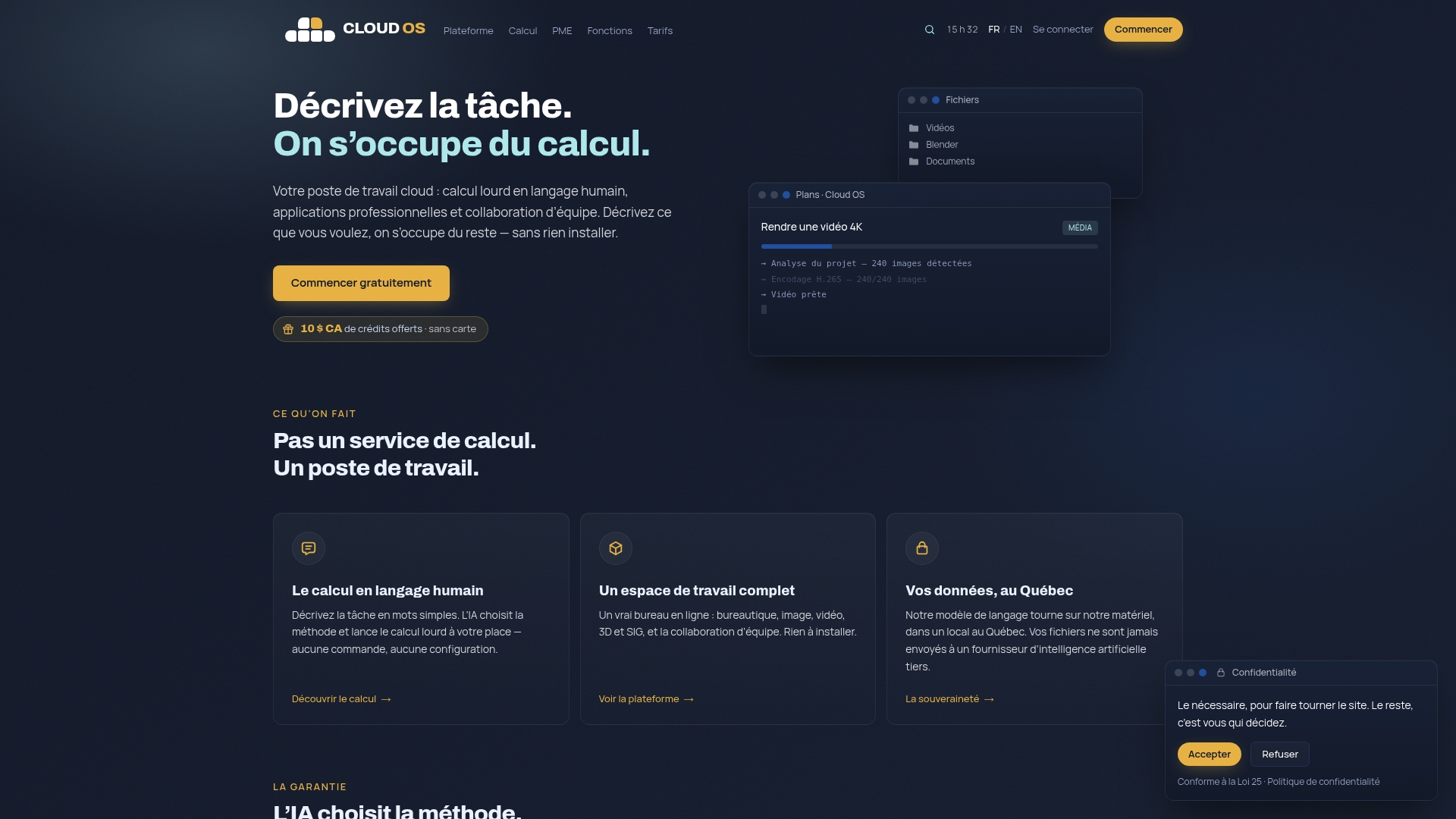
For a regional video production business, where connectivity can complicate sending large files, running the compute directly on Quebec infrastructure settles part of the logistical problem while keeping your data under local sovereignty. Pricing is a subscription with everything in it: two plans, and a gauge that tells you where you stand in the month rather than an invoice per render. The Business plan also includes the Sandbox, a persistent Linux desktop. The trial runs 14 days with no card, which is enough to put a real render through before committing. See the pricing page for the commitment lengths and their discounts.
Sources
- Adobe Premiere Pro vs DaVinci Resolve Studio — PCMag (2025)
- DaVinci Resolve vs. Premiere Pro for Indie Film — Tools for Film
- DaVinci Resolve 20 vs Premiere 2026 — Comparison Math
- Premiere Pro vs DaVinci Resolve vs Final Cut Pro (2026) — MarkStudios
Frequently asked questions
What is the best editing software in 2026?
There is no universally best editing program: DaVinci Resolve wins on grading, built-in audio and value for money, while Premiere Pro wins on integration with the Adobe ecosystem and team collaboration through Frame.io. The choice depends on your precise workflow, not on a fixed ranking.
Will Premiere Pro or DaVinci Resolve be better in 2026?
Both received solid AI updates this year: Resolve strengthened its neural engine for tracking and scene detection, while Premiere extended text-based editing and its generative features. Neither dominates on every front; each advances in its historical area of strength.
Is there a better alternative to DaVinci Resolve?
No alternative surpasses Resolve on every criterion at once, but Premiere Pro remains preferable for teams already invested in Creative Cloud, and Final Cut Pro remains an option for studios entirely on macOS — though its absence on Windows limits adoption in a mixed team.
Do professionals really use DaVinci Resolve?
Yes, widely, particularly in grading and in film and series post-production. A professional colourist almost always favours its node system for HDR work and complex corrections — the use that made the program's reputation before it ever extended into full editing.
Can Cloud OS run Resolve or Premiere renders?
Cloud OS offers GPU compute and 3D rendering on demand, useful for absorbing an occasional render without buying dedicated hardware. It comes with the subscription rather than being billed per render: two plans, a monthly usage gauge, and a 14-day trial with no card. The full details are on the Cloud OS pricing page.