Audio and video
Blender online, with nothing to install
The leading free 3D software, to edit your scenes from the browser.
Included from the Personal plan
The real Blender, not a viewer
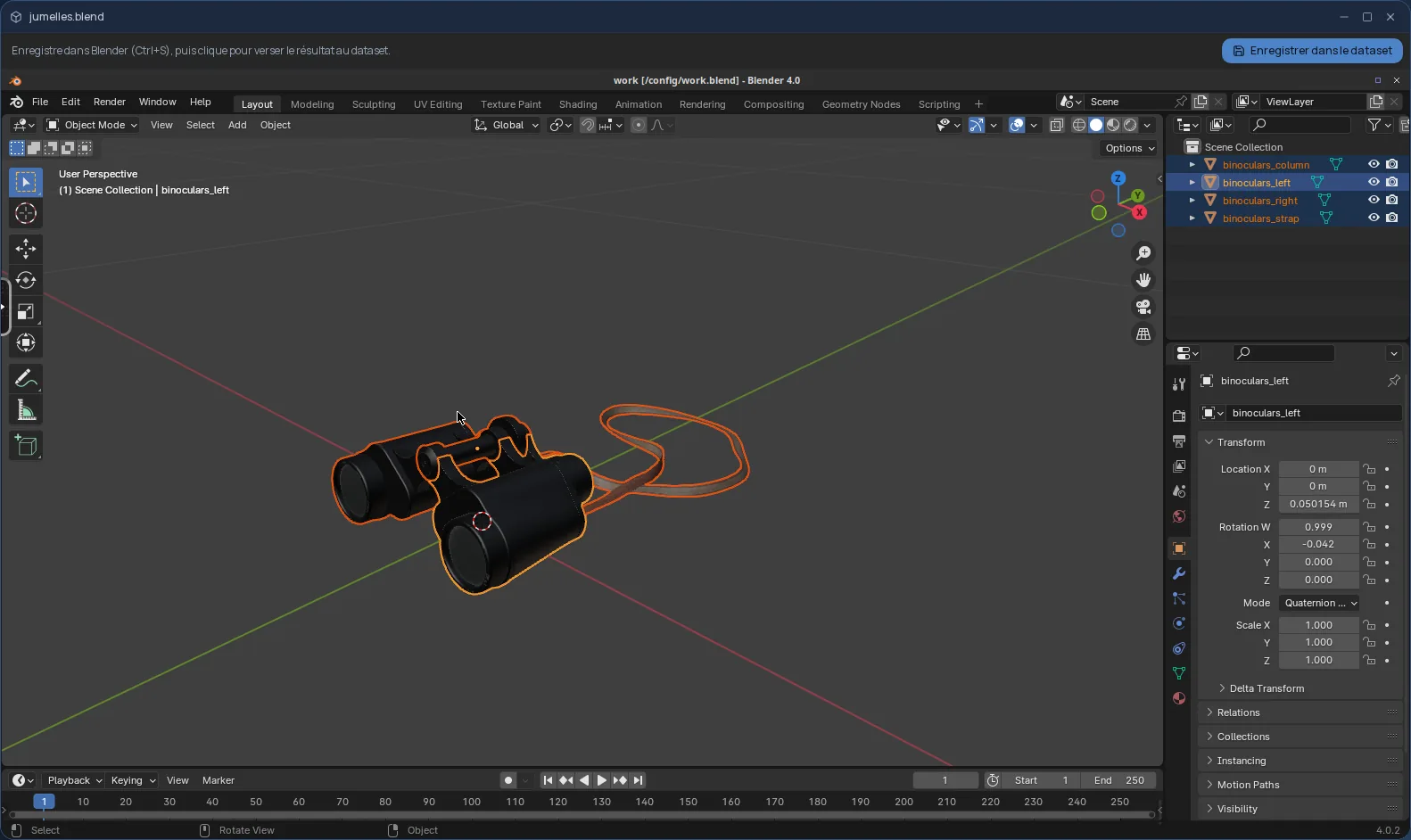
Blender is the leading free software for 3D creation: modelling, materials, lighting, animation, rendering. In Cloud OS, the software itself runs in a window of your online desktop — not just a preview of the scene.
You open a .blend file from the Files app, and Blender starts with your scene already loaded, in about twenty seconds. Nothing to install on your computer, and the same Blender on every computer you sign in from.
Your scene stays in your own space
Once your changes are made, you save in Blender (Ctrl+S), then a button at the top of the window sends the scene back to Files.
- The edited scene arrives as a new version, named after the original followed by “-édité” (edited).
- The original is never overwritten.
- Your files are hosted in Québec.
For the final render: 3D rendering plans
The Blender session is for editing the scene. To produce the final images, Cloud OS offers 3D rendering plans, which render your .blend files with the Cycles engine on its servers rather than in the window.
Good to know
The session is temporary: anything not sent back to Files is gone when the window closes. Only the .blend file is opened, so remember to pack your textures and other external resources into it (Blender's “Pack Resources” feature).
The 3D viewport is drawn without a graphics card: fine for editing a scene, less so for moving around a very heavy scene in real time. Blender is used from a computer; it is not offered on phones.
Frequently asked questions
- Do I need to install Blender to use it in Cloud OS?
- No. Blender runs in a window of your online desktop, from the browser. There is nothing to install or update on your computer.
- Can I start from an empty scene?
- Blender opens from a .blend file in your Files. To start from scratch, first upload a .blend file, even a nearly empty one, then open it.
- Could my original .blend file be overwritten?
- No. The scene sent back to Files arrives as a new version, next to the original, which stays as it was.
- Is Blender included in the subscription?
- Yes, from the Personal plan, like the other desktop software. There is no fee per app.