Communication
An online address book, connected to your CardDAV server
Your contacts, and those from your CardDAV server, in one place.
Included from the Personal plan
Your contacts, close at hand
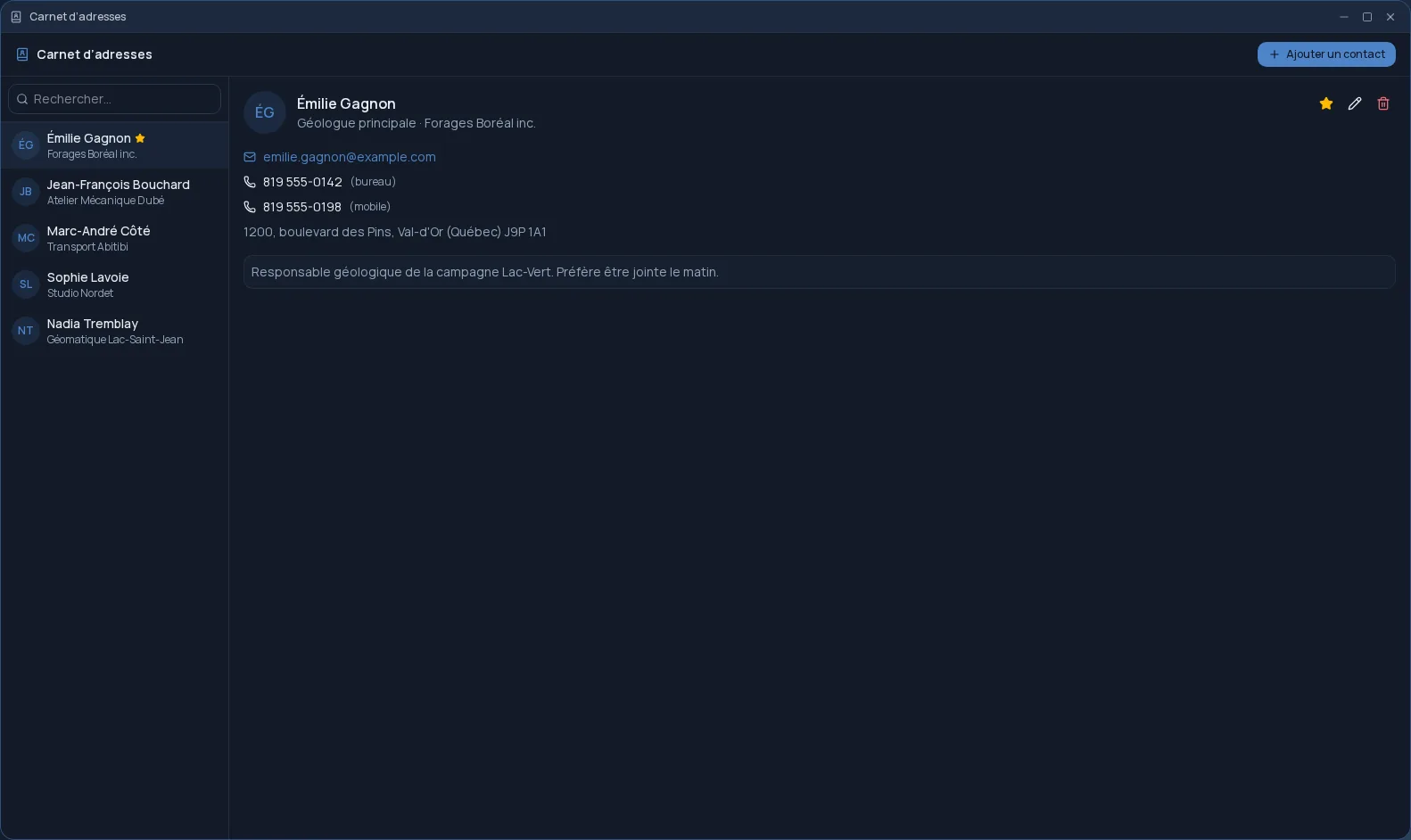
The Cloud OS Address book keeps, for each person, what you need day to day: name, company, job title, email, phone, mobile, address and notes. Your favourites stay at the top of the list, and search finds a contact in a few letters.
Your existing address books, without re-keying
Do your contacts already live on a CardDAV server, such as Nextcloud, iCloud or Fastmail? You connect that server once, in Settings, and its address books appear in the Address book. The same account also feeds the Calendar.
- The server address is detected from your email address when possible.
- Automatic sync every five minutes, or on demand.
- Every phone number and email address on a card is shown, not just the first ones.
- Removing the server deletes nothing on it.
Connected to the rest of your desktop
A contact can be found from the desktop search, without opening the app. The Address book also opens in a side panel of Mail, so you can find a number without leaving the message you are reading.
An address book of your own
The address book is personal: your contacts are not shared with your team. They stay in your space, hosted in Québec, and you can also look them up on a tablet or phone, in the browser.
Frequently asked questions
- Can I bring in my Nextcloud or iCloud contacts?
- Yes. You connect your CardDAV server in Settings, and its address books appear in the Address book. iCloud and Fastmail require an app password.
- What about my Google contacts?
- Not yet. Google requires a type of sign-in that Cloud OS does not offer for contacts yet.
- Are my contacts shared with my team?
- No. The Address book is personal: only you have access to it.
- Does the Address book cost extra?
- No. It is included in the subscription from the Personal plan.