Image and photo
RawTherapee online, to convert your RAW files with precision
The free RAW converter that gives you control over every detail.
Included from the Personal plan
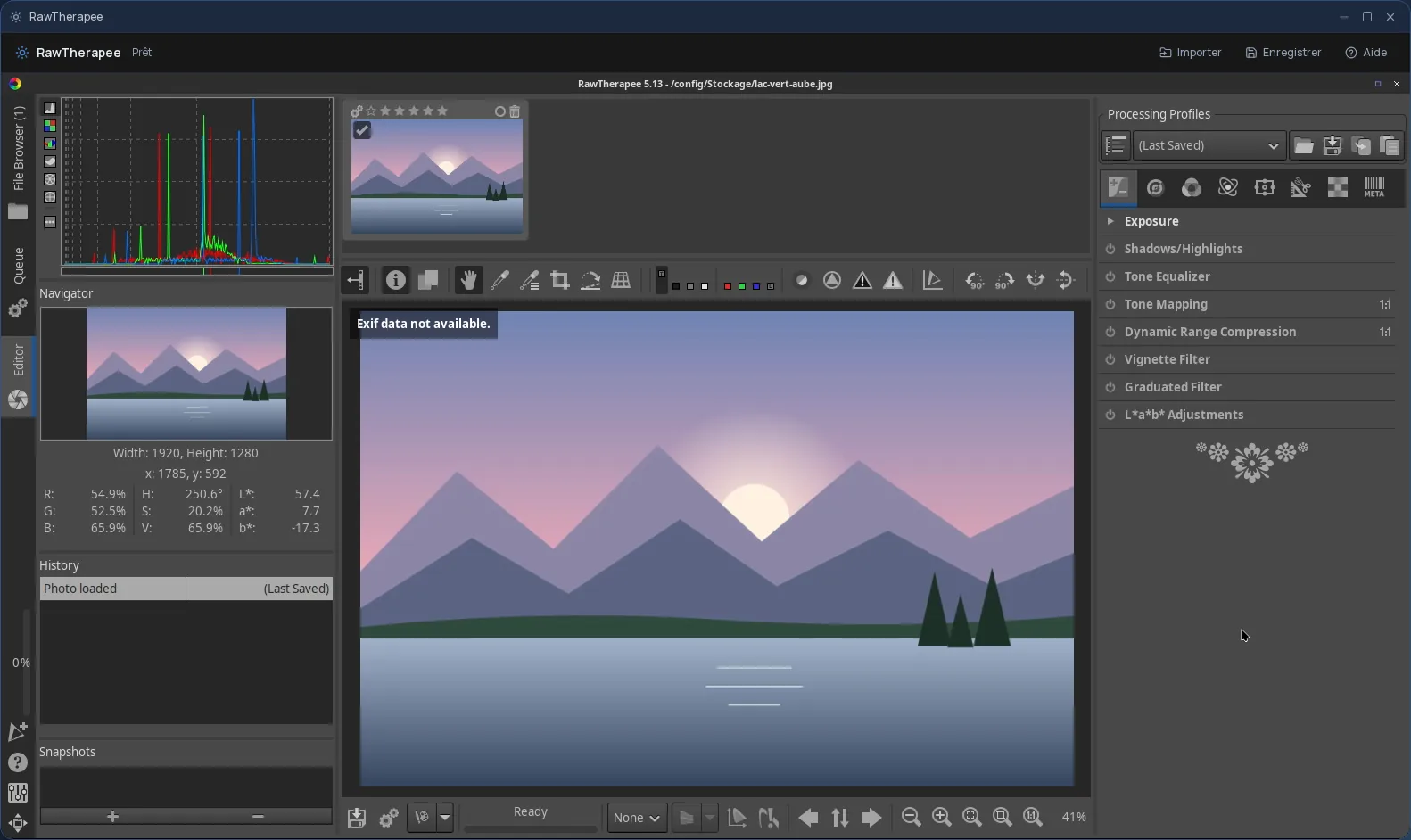
The real RawTherapee, in a desktop window
RawTherapee is free software for processing RAW photos, known for the precision of its tools. It never changes the original file: your adjustments live in a profile, and the final image is produced separately.
In Cloud OS, the software itself runs in a window of your online desktop. Nothing to install on your computer, no updates to keep up with, and the same RawTherapee on every computer you sign in from.
For those who want to control the rendering
RawTherapee is made for people who like to understand and fine-tune every step of development, from demosaicing to sharpening. It can also process several photos at once.
- Several demosaicing algorithms to choose from, depending on the camera and the subject.
- Exposure, tone curves, white balance and colour management.
- Noise reduction, fine sharpening, lens correction.
- A processing queue: apply the same profile to a series of photos and convert them to JPEG, TIFF or PNG.
Your photos stay in your own space
You pick a photo in the Files app, and it opens straight in RawTherapee; repeat to add more. Once the work is done, the Save button sends your converted images back to Files.
- Every file sent back arrives as a new file: your original RAW is never overwritten.
- The .pp3 profile RawTherapee writes next to each photo, holding your adjustments, is sent back along with the rest.
- Your files are hosted in Québec.
Good to know
By default, the processing queue saves to a “converted” subfolder. Set the output folder, and the one in the save dialog, to the “Stockage” (Storage) folder itself: files go back to Files from there, not from its subfolders.
A RawTherapee session is temporary: anything not sent back to Files disappears with it. RawTherapee is used from a computer; it is not offered on phones.
Frequently asked questions
- Do I need to install RawTherapee to use it in Cloud OS?
- No. RawTherapee runs in a window of your online desktop, from the browser. There is nothing to install or update on your computer.
- Can I convert several RAW photos to JPEG at once?
- Yes, with RawTherapee's processing queue: you add your photos with the processing profile you want, and it converts them one after another. Save the result to the “Stockage” (Storage) folder so you can then send it back to Files.
- RawTherapee or darktable: which should I choose?
- Both are offered. RawTherapee suits you if you want fine control over the rendering and to convert series of photos; darktable, if you are after a complete Lightroom-style workflow, with masks and local adjustments.
- Is RawTherapee included in the subscription?
- Yes, from the Personal plan, like the other desktop software. There is no fee per app: each launch counts as one task in your plan's allowance.